


Setup
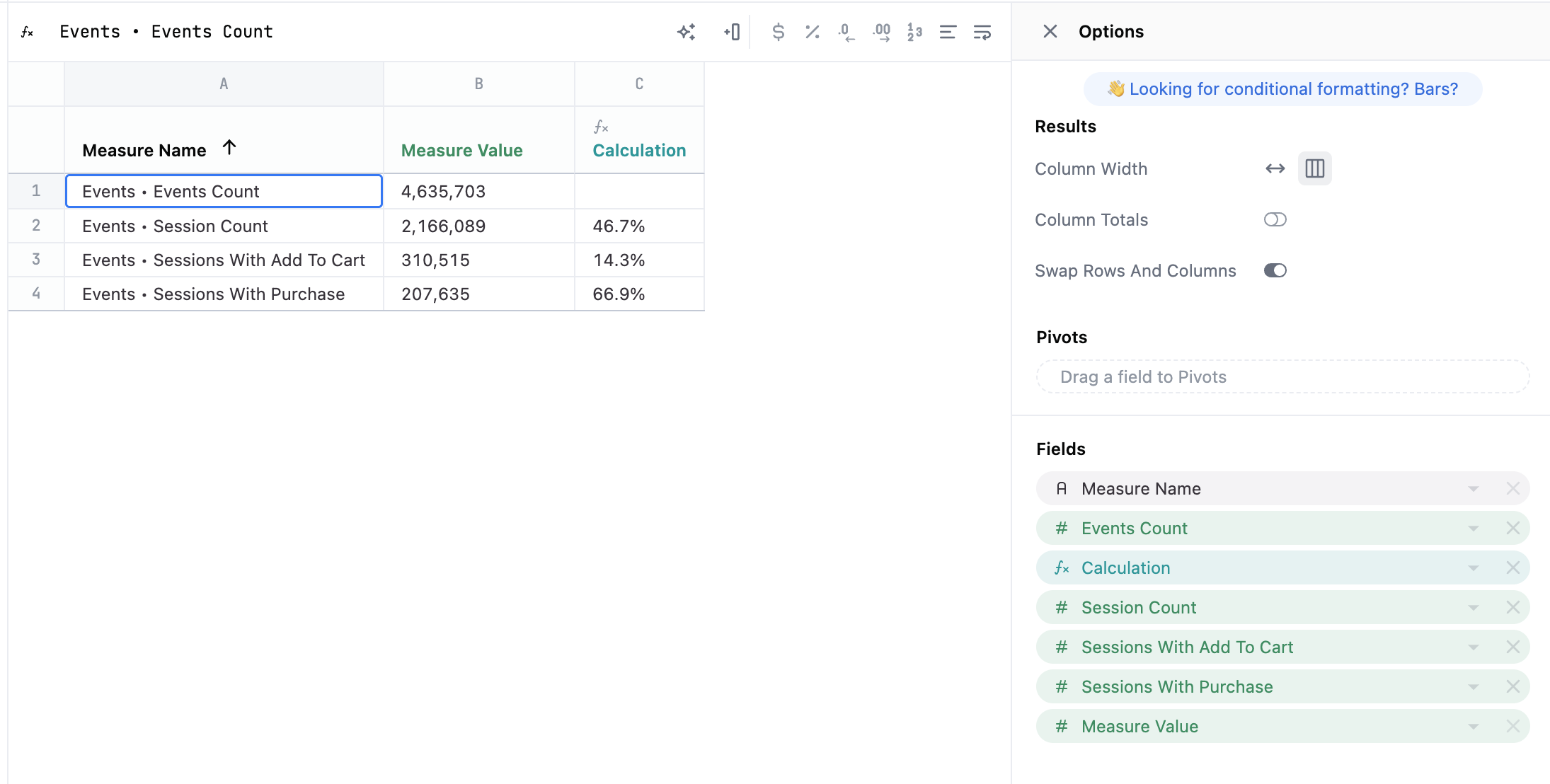
This visualization is built on having multiple measures which are then swapped rows and columns, with a calculation built to get stage by stage conversion metrics. For example, in cellC2, enter the formula =B2/B1.
Example code
<style>

.parentView {
  display: flex;
  flex-direction: column;
  align-items: center;
}

.trapezoid {
  background: #ff6666;
  width: 100%;
  display: flex;
  justify-content: center;
  clip-path: polygon(0% 0%, 100% 0%, 90% 100%, 10% 100%);
}

.trapezoid2 {
  background: #ee6021;
  width: 85%;
  display: flex;
  justify-content: center;
  clip-path: polygon(0% 0%, 100% 0%, 90% 100%, 10% 100%);
}

.trapezoid3 {
  background: #f6c62d;
  width: 75%;
  display: flex;
  justify-content: center;
  clip-path: polygon(0% 0%, 100% 0%, 90% 100%, 10% 100%);
}

.trapezoid4 {
  background: #9de24f;
  width: 65%;
  display: flex;
  justify-content: center;
  clip-path: polygon(0% 0%, 100% 0%, 90% 100%, 10% 100%);
}

.text {
  color: white;
  display: flex;
  line-height: 1.5;
  font-size: 20px;
}
.conv{
  font-size: 15px;
  line-height: 3;
  font-weight: bold;
}
</style>
<div class = "parentView">
  <div class="trapezoid">
    <h1 class="text"> {{result.0.measure_value.value}} Stage 1 </h1>
  </div>
  <div class="conv"> ↓ {{result.1.calc_1.value}} </div>
  <div class="trapezoid2">
    <h1 class="text"> {{result.1.measure_value.value}} Stage 2 </h1>
  </div>
  <div class="conv"> ↓ {{result.2.calc_1.value}} </div>
  <div class="trapezoid3">
    <h1 class="text"> {{result.2.measure_value.value}} Stage 3 </h1>
  </div>
  <div class="conv"> ↓ {{result.3.calc_1.value}} </div>
  <div class="trapezoid4">
    <h1 class="text"> {{result.3.measure_value.value}} Stage 4 </h1>
</div>