

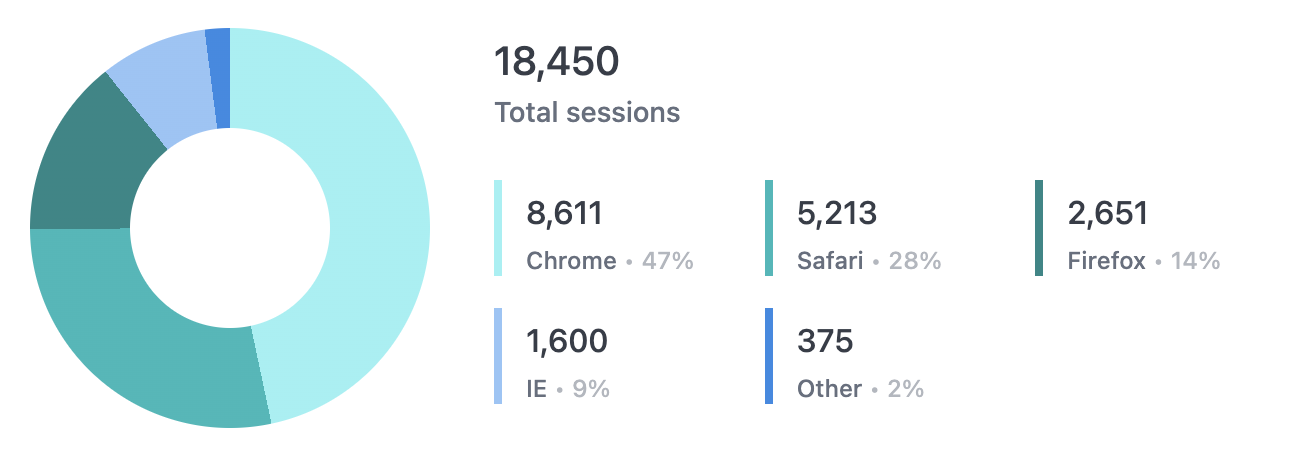
Setup
Use this sample dataset and code to recreate this example in your own instance.- Download the sample CSV.
- Upload the sample CSV to your instance. Refer to the Data input tables guide for instructions.
- In a new query tab, select all the dimensions. Every field except
Pie Countshould be selected when you’re finished. - On the Results tab, open the Options panel and enable column totals.
- In the
Session Counttotals cell, click the … menu and select Total Calculation > Sum. - Format the
Percent Of Totalcolumn to percentage and adjust the decimal places to your liking.
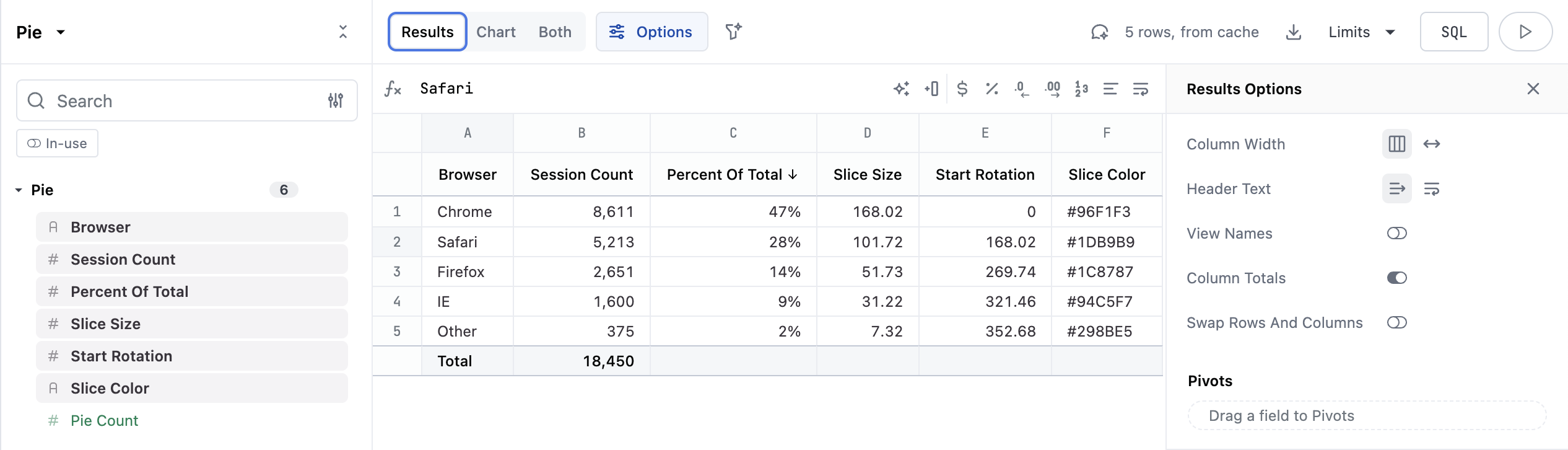
Percent of Total, Slice Size, and Start Rotation. These formulas reference the columns as they are in the above screenshot:
Percent of Total-=B1 / SUM(B:B)Slice Size-=B1 / SUM(B:B) * 360 // or Percent of Total * 360Start Rotation-=SUM(D$1:D1)// The sum of all the previous values ofSlice Size- if you are copying this formula, enter it on the second row to get it to apply correctly