

Squares will automatically adjust size and wrap to the next line.

Setup

These charts use the Mustache iterator syntax to draw a shape for each row in the results. Your query should have a dimension that determines the number of pies and their labels and the values for the numerator and denominator to calculate the percentage fill. Then you’ll need to add a few calculations. The following table explains each field used in the example, including the calculation formulas.
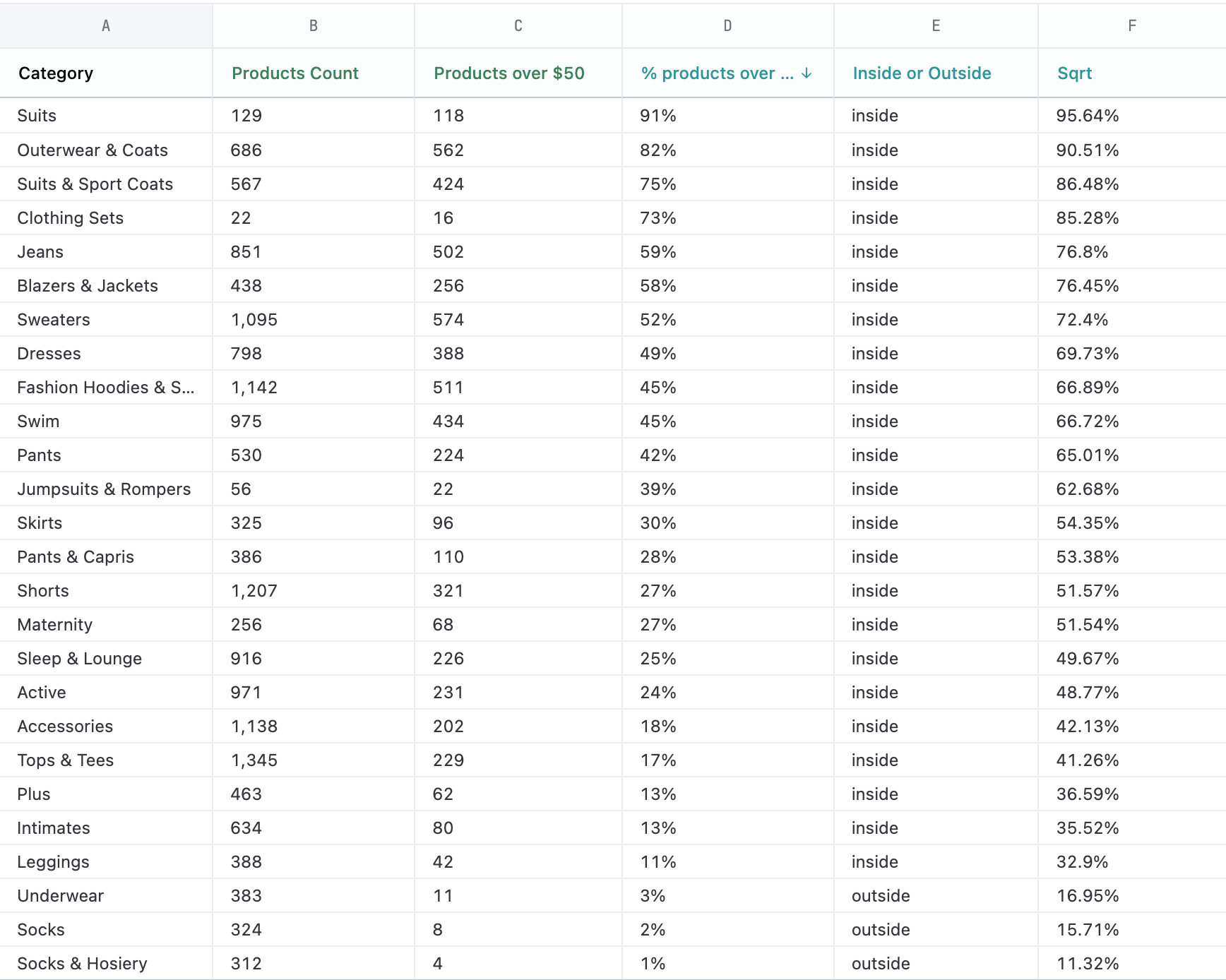
ColNameDescription or formulaPurpose
ACategoryquery fielddetermines number of squares to make and their labels
BProducts Countquery fielddenominator for % calculation
CProducts over $50query fieldnumerator for % calculation
D% over $50 (calc_1)=C1 / B1calculation for filling square, label
Einside or outside (calc_3)=IF(D1 < 0.1, “outside”, “inside”)calculation to help position and color the label
Fsquare root (calc_4)=SQRT(D1)calculation to get the length of the side of the square

Example code

<style>
  h3 {
    margin-top: 0;
  }
  .percent-fill-boxes {
    & ul {
      list-style: none;
      margin: 0;
      padding: 0;
      display: grid;
      grid-template-columns: repeat(auto-fit, minmax(100px, 1fr));
      gap: var(--size4);
    }
    & li {
      list-style: none;
      margin: 0;
      padding: 0;
    }
    p {
      margin: 0;
      padding: 0;
    }
    & .big-box {
      width: 100%;
      aspect-ratio: 1 / 1;
      background-color: var(--color-border2);
      position: relative;
      display: flex;
      flex-direction: column-reverse;
    }
    & .little-box {
      aspect-ratio: 1 / 1;
      display: block;
      background-color: var(--color-info);
      position: relative;
      
      & span {
        display: block;
        font-size: var(--font-xxs);
        font-variant-numeric: tabular-nums;
        width: 4ch;
        padding-right: 2px;
        line-height: var(--line-height-xxs);
        position: absolute;

        &.inside {
          text-align: right;
          top: 0;
          right: 0;
          color: var(--color-text-inverse);
        }

        &.outside {
          top: calc(-1 * var(--line-height-xxs));
          right: -4ch;
          text-align: left;
          color: var(--color-text2)
;        }
      }
    }
    & p.label {
      text-align: left;
    }
  }
</style>

<article class="percent-fill-boxes">
  <h3>% of products over $50</h3>
  <ul>
  {{#result}}
    <li>
      <div class="big-box"">
        <p class="little-box" style="width: {{calc_4.value}}">
          <span class="{{calc_3.value}}">{{calc_1.value}}</span>
        </p>
      </div>
      <p class="label">{{products.category.value}}</p>
    </li>
  {{/result}}
    
  </ul>
</article>