

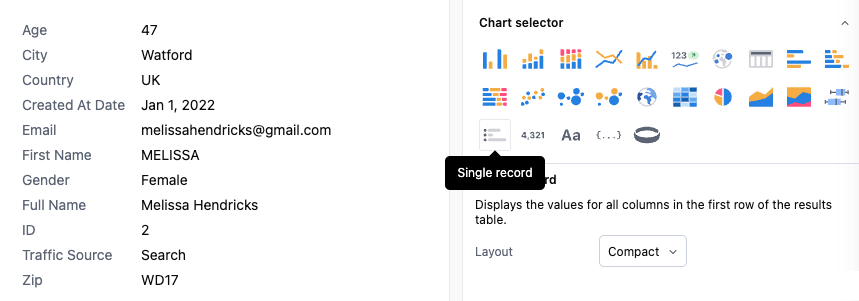
Single record visualizations offer a compact way to show a single row of data, pivoted to display the full row in a single column. If more than one row is present, the visualization will only show the top row. Full table transpose is available in the table visualization options.

Configuration

The only configuration for single record offers a bit of layout control:
  • Horizontal: A slightly more compact version of the single-row table
  • Vertical: Field names above their associated value
  • Compact: The default view (see above)

Text formatting

You can customize the appearance of field names and values independently using the text formatting controls:
  • Color: Choose a custom color for your text
  • Font size: Adjust the size of your text
  • Font weight: Make text bold
  • Italic: Apply italic styling to text
These formatting controls are available for both field names and values, and work across all three layout modes (horizontal, vertical, and compact). User-specified formatting takes precedence over theme defaults. To revert to theme styling, clear the formatting option.