Apply a filter to a single measure

Filtered measures allow you to apply a filter to a single measure in a given query. For example, filtered measures are equivalent to a SQL statement like:
COUNT(DISTINCT
    CASE
      WHEN status = 'Complete' THEN order_id
      ELSE NULL
    END)
However, filtered measures have the added benefit of intelligent passing through the filter value when you drill.

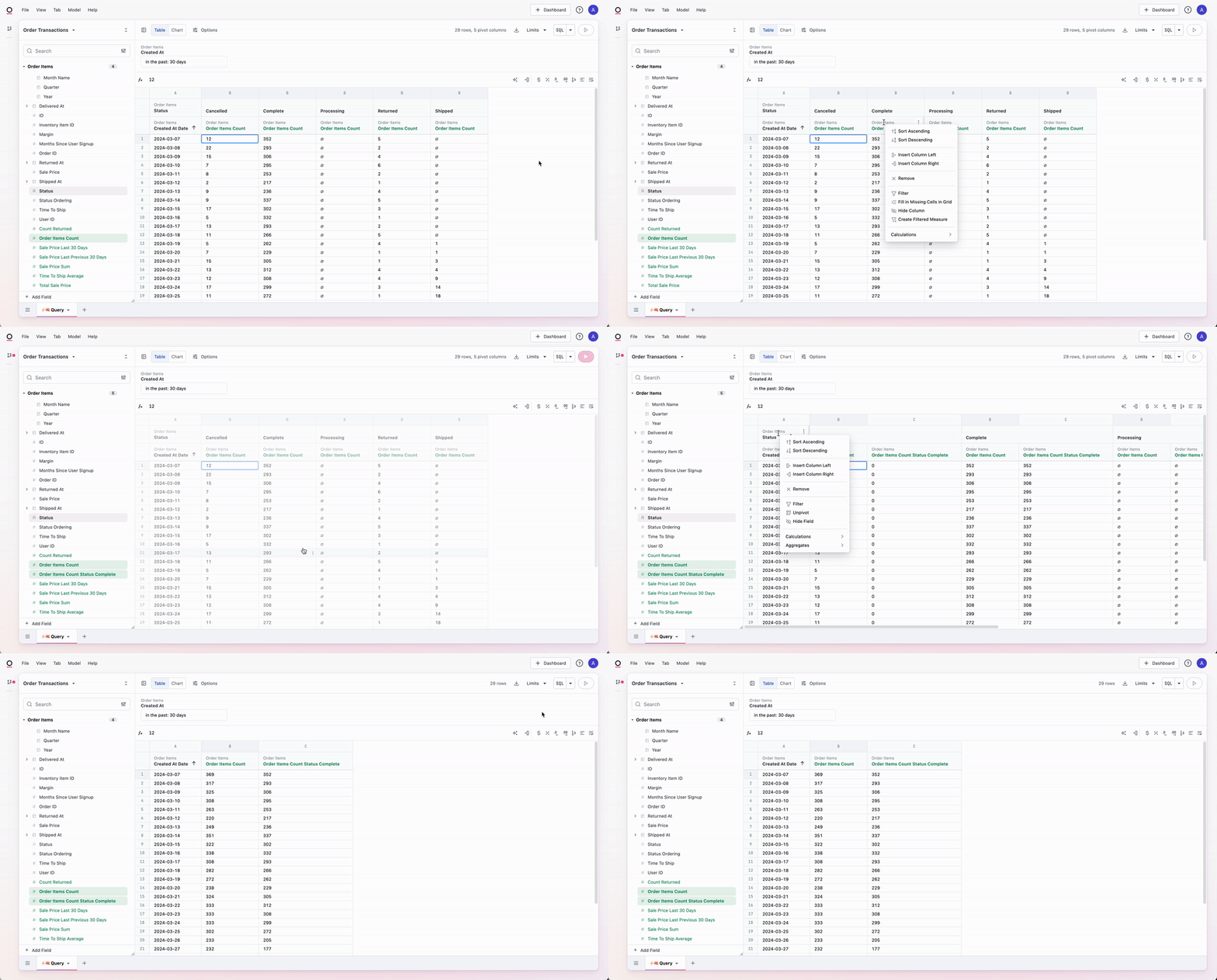
Option 1: Use the Create filtered measure workbook option

  1. In a workbook query tab, create a query with a measure you want to filter.
  2. Add a pivot on the dimension that contains the value you want to filter.
  3. In the results table, right click on the measure you want to filter.
  4. Select Create filtered measure.

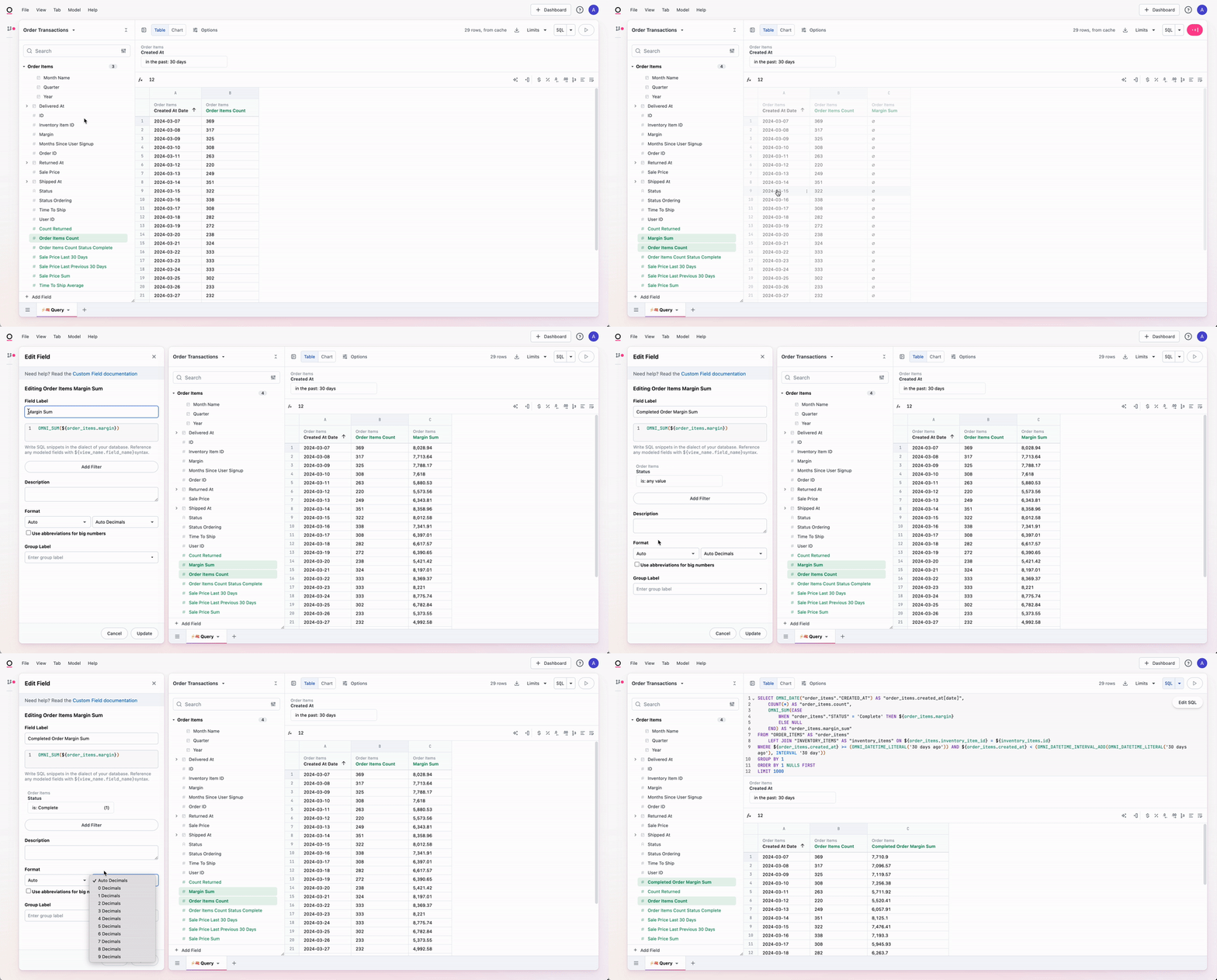
Option 2: Create a duplicate measure or a quick aggregate

  1. In a workbook query tab, create a query with a measure you want to filter.
  2. Create a new measure. You can do this by either right clicking on the field and selecting Aggregates or by duplicating an existing measure.
  3. In the field browser, right click on the measure you just created and select Modeling > Edit.
  4. In the Edit field panel, click Add filter to apply a filter to the measure.
Option 3: Use the model IDE

You can also create filtered measures in the model IDE using filter syntax:
order_items_count_status_complete:
  aggregate_type: count
  filters:
    status:
      is: Complete

margin_sum:
  sql: ${order_items.margin}
  label: Completed Order Margin Sum
  aggregate_type: sum
  filters:
    status:
      is: Complete