

Chart palettes
Setting a default chart palette for your organization
Set a default chart color palette for your Omni organization, applied automatically to new charts based on chart type and data.
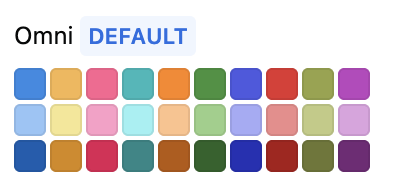
The current default will have a blue DEFAULT badge next to its name: