

Requirements
Organization Admin permissions are required to invite users.User invitation requests
If the New user invitations setting is enabled, users can request an invitation from your organization’s login page.Stale invitation requests
If you see invitation requests from users who are already active members of your organization, you can safely dismiss these requests. These stale requests can occur when a user submits an invitation request and then joins the organization through SSO or SCIM provisioning before an Organization Admin acts on the request. To dismiss a stale invitation request:- Navigate to Settings > Users.
- Click the Invitation requests tab.
- Find the request from the user who is already a member.
- Click Dismiss next to the request.
Inviting users
Once an invite is sent, new users have 7 days to log into Omni. The invite will automatically expire after this time and the user will have to be re-invited.
- Navigate to Settings > Users.
- Click Invite users.
- In the Email addresses field, add the addresses of the users you want to invite, one per line or separated by commas or semicolons. For example:
You can include up to 50 email addresses per batch.
- To limit the invitees to content and connections you explicitly share with them, select Invite as external users. See External users for more information.
- Click Send invitations.
- Needs attention - the invitation email couldn’t be delivered, or an existing invitation had already expired.
- Not invited - the address already belongs to a member, or already has a pending invitation.
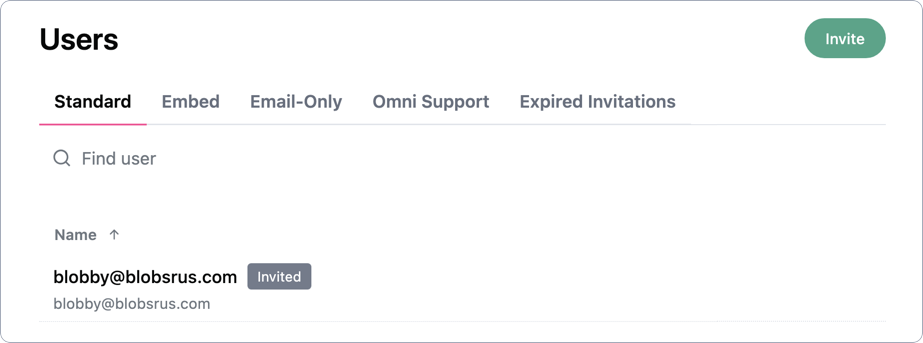
- Invited - the invitation sent successfully.
Re-inviting users
If a user hasn’t accepted their invitation by logging in to Omni or needs a new one, you can revoke and re-send their invite:- Navigate to Settings > Users.
- In the Users list, find the user with the Invited badge.
- Click Manage next to their name.
- At the bottom of the user’s profile page, click Revoke invitation.
- Return to Settings > Users and click Invite users.
- In the Email addresses field, add the user’s email address.
- Click Send invitations.