

Organization Admin permissions are required to access and modify organization settings.
General
Settings in the General tab control the organization’s name, default timezone, localization, user invitations, and support settings.Default timezone
Defines the default timezone for the organization, which is used in emails sent by Omni. Note: This setting doesn’t apply to database connections, which have their own timezone settings.Locale and allowed locales
Controls the default language used for the Omni app interface and which languages are available to users.- Locale – Sets the default app language for your organization. Users without a user-specific locale will see the app in this language.
- Allowed locales – Defines which locales are available as options in your Omni instance.
Session length
Controls how long non-embed users stay logged in before requiring re-authentication. Defaults to 24 hours. To change the default, enter a whole number between 1 and 4320 hours. The maximum of 4320 hours equals 180 days.This setting applies to non-embed sessions only. Embed sessions are managed separately. For information on embed session management, see Embed session management.
Trash visibility window
Controls how long deleted content remains visible in the Trash before being automatically hidden. Defaults to 180 days. This setting affects the visibility of archived documents, models, branches, and connections in their respective Trash tabs. Content archived longer ago than the configured window will be hidden in the Trash and will not appear in trash counts.This setting only affects visibility in the Trash; nothing is deleted or purged.To make content hidden due to the retention window visible again, increase the retention window or leave the field blank to show all archived content, regardless of age.
New user invitations
When enabled, new users can request an invitation to the Omni organization from the login page. Otherwise, users will need to contact someone outside of Omni to be added to the Omni organization.Support settings
- Session recording - When enabled, Omni support will have access to replays of sessions where bugs or errors were encountered
- Automatic support user creation - When enabled, Omni support can automatically access your instance for assistance and problem solving
-
Limit Omni support logins by region - Allows you to limit logins from Omni support to a specific region. When set to something other than All regions, the support user’s IP address must reside in the specified region to successfully log in to your instance.
Contact Omni support for access to the Limit Omni support logins by region setting.
Homepage content
Allows you to set a default dashboard or app that adds an inline dashboard or app on the homepage for all users. This setting can be used in embedded Omni instances. Users can override this default by selecting their own dashboard or app in the Homepage content setting on their Your Account page. If a user doesn’t select their own content, the organization default displays.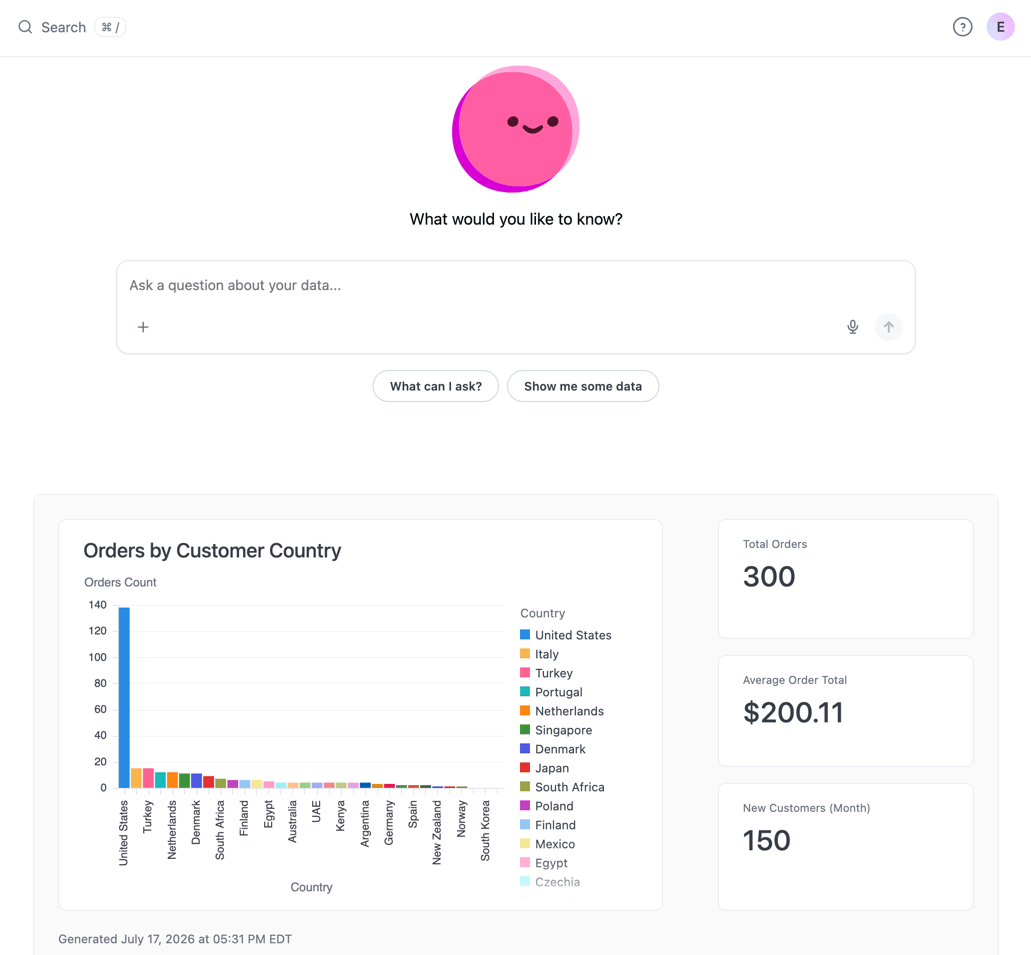
Custom content displaying on Omni homepage when 'Chat on homepage' is enabled
- In Settings > General, click the Homepage content dropdown.
- Start typing to search for a dashboard or app. Note: Only published documents with a dashboard or app will be returned. Workbook-only documents cannot be selected.
- Select a dashboard or app.
- Click Save to apply the changes.
Limited visibility message when you click save. Users without access to the content will see the default homepage instead, without the inline content. To make the content visible on all users’ homepages, share it with the entire organization. External users also need the content shared with them directly or through a group.
Homepage content adheres to the selected content’s cache policy. For example, if you set a dashboard with a 24 hour cache policy as homepage content, the content is cached using that policy.