

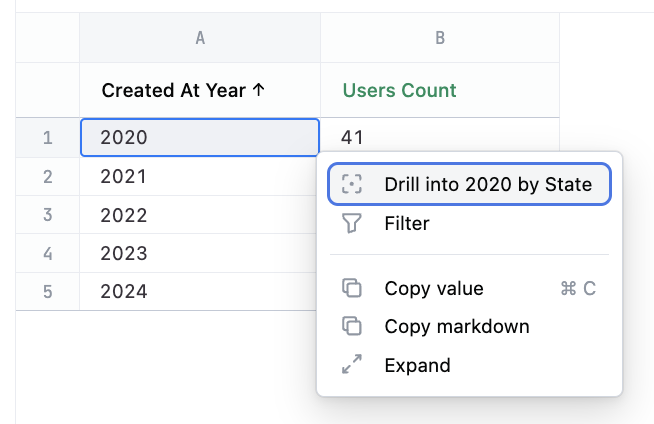
Drill fields allow for hierarchical drilling inside a row of the result set. Dimensional drill retains the table structure, but adds the dimensions as filters and swaps the dimensions for the drill fields. Dimension drill example Setting this parameter with an empty value (drill_fields: []) removes the drill from the dimension. You can also remove drilling in workbooks by hovering over a field in the field picker, clicking , and selecting Edit.

Syntax

<dimension_name>:
  drill_fields: [<field_1>, <field_2>, ...]

Properties

dimension_name
object
The name of the dimension. Dimension names must:
  • Be unique within the view
  • Start with a letter
  • Contain only alphanumeric characters and underscores

Examples

Geographic drill-down
country:
  drill_fields: [state]
Timeframe drill with metadata
created_at:
  timeframe_metadata:
    year:
      drill_fields: [state]
      group_label: Created At
Remove drill capability
category:
  drill_fields: []