

- The schema model that stays in sync with raw database tables and views, and
- The model extension, where user-defined, virtualized data models live in Omni. Think fields, joins, and additional metadata such as formats, descriptions, and so on.
Schema Model
The schema model is intended to serve as a baseline version of the database schema, for simple point and click query, and some inferred key relationships. The schema model can be viewed by clicking the Parent model name at the bottom of the shared model page. To refresh the schema, click Model > Refresh schema inside the given schema model. Refer to Schema refreshes for more information. When a model is generated or refreshed, Omni will use a combination of the schema metadata we get from your connected database and heuristics about the names of views and fields to auto-generate join relationships in the relationships model file and primary key designations in each view file. Note: When deleting or ignoring schema fields, they will still be editable in SQL queries by users who have permissions to use SQL.Model extension
The model extension is the core user-curated data model in Omni. Fields, joins, and other metadata extend / supplement the schema model. In addition to entirely new fields and relationships, schema fields can be extended with new metadata - formatting, labels, or deleted by “ignoring” them. Refer to the next section for more information. Note: The model extension described here is the shared model extension. Workbook models can have their own workbook model extensions.Browse Modes
The model IDE has two browse modes that control which layers of the model are visible. You can switch between them using the browse mode selector at the top of the model file tree.Combined mode (default)
By default, the IDE displays the model in Combined mode. In this mode, the layers of the model are combined to create a comprehensive view.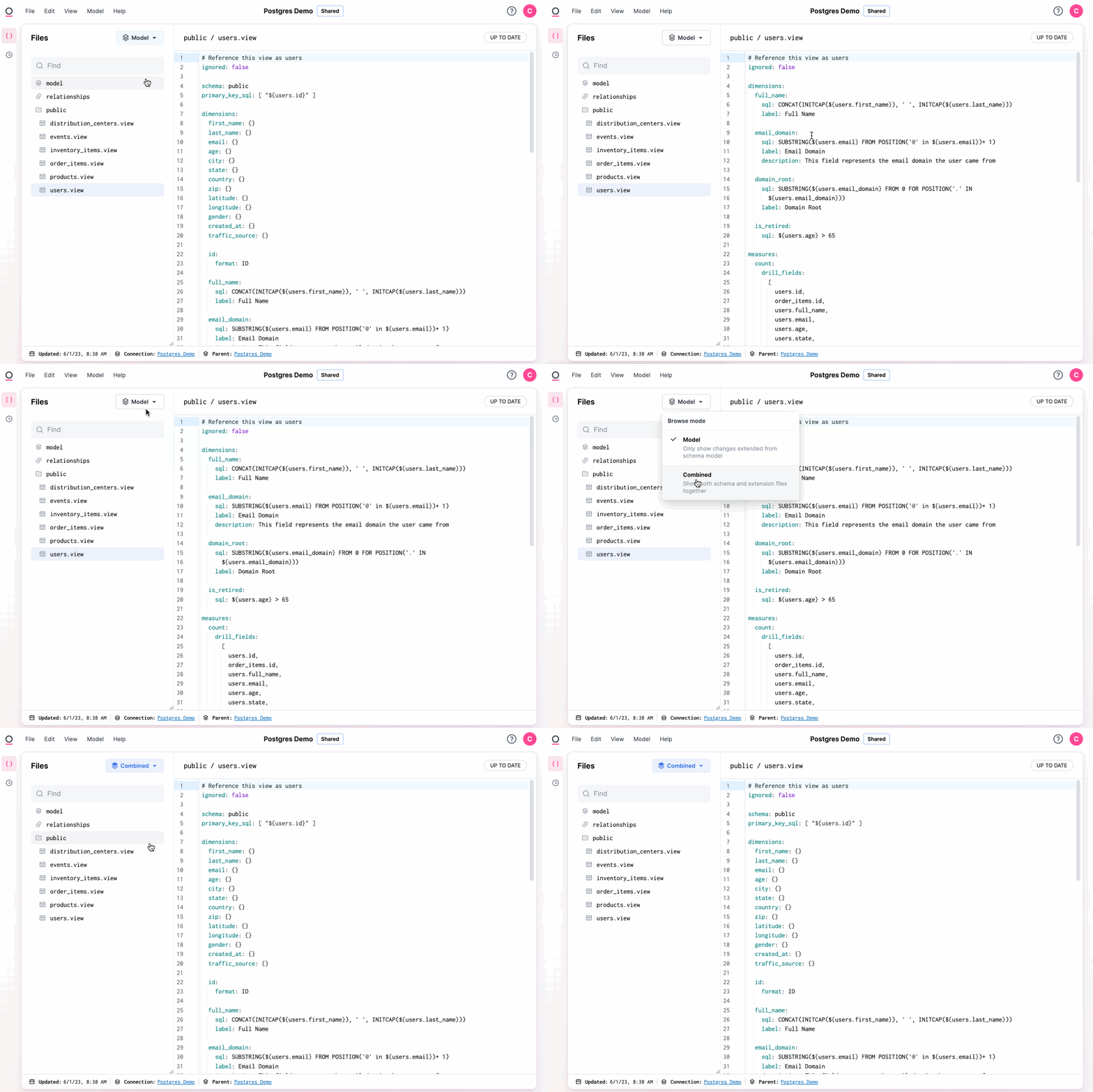
Model mode
Model mode shows only the model extension, any fields, joins, and metadata you’ve explicitly defined. The auto-generated schema layer is hidden. A topic’s joins in Model mode (and a branch’s Merged mode) show asadded_joins and removed_joins instead of the full joins tree. See joins - Model mode for details.
Interaction between browse modes
Changes made while in Combined mode will be included in the model extension - that is, visible when you toggle the mode to Model. To delete a field or view from the schema model, delete it while in Combined mode. When you toggle into Model mode, the field or view will be marked asignored.
Conversely, in Model mode, you can delete an “ignored” field or view to resurface it from the schema model.