

Using AI with your models
Omni AI is woven into the modeling experience in a few different ways: you can build and maintain your model with an in-IDE chat agent, curate your model so AI-generated queries are more accurate, and tune how the AI behaves on a per-model basis.Building models with the Modeling Agent
The Modeling Agent is a chat panel in the Model IDE that helps you build and maintain your semantic model. Use it to ask questions about your model, get suggestions for fields and relationships, and draft YAML edits — all without leaving the IDE.Optimizing models for AI
Providing context to Omni AI — such as field descriptions, possible values, and usage hints — improves the accuracy and relevance of AI-generated queries and suggestions. See Optimize models for Omni AI to learn how to curate your models for better AI performance.Tuning AI behavior
Theai_settings model parameter lets you control how Omni’s AI behaves within a specific model — including what data it can query, whether it validates its own analysis, and which tools it can use. See the ai_settings reference for more information.
Branch Mode
More structured than document drafts but less complex than the git integration, Branch Mode allows you to test changes to models and content before making them visible to your teammates. By creating a separate space to experiment with updates, you can develop confidently without disrupting production data. This approach supports scalable and reliable workflows, reducing the need for reactive fixes while improving traceability and accountability in the development process. Refer to the Using Branch Mode for collaboration guide for more information.Local development with the Omni model editor CLI
The Omni model editor CLI is currently in beta and under active development.
@omni-co/model-local-editor CLI tool lets you edit Omni model YAML files locally in your preferred editor with real-time synchronization back to Omni. Changes you save locally are automatically pushed to your Omni branch, giving you full IDE support for syntax highlighting, autocomplete, and version control.
To install the CLI, run the following:
Shared model promotion
Shared model promotion pushes changes made in the workbook layer into the model layer so the changes are reusable and available in all workbooks. Refer to the Promoting workbook changes to the shared model to learn more.Incorporating database changes with schema refreshes
Keeping your BI tool in sync with your database when schema changes occur can be a challenge. As such, there may be times when you need to manually refresh the schema model - or make Omni aware of the changes - that your Omni model is built on. Refer to the Schema refresh guide for more information.Validating models against content
The Content Validator, accessible by clicking the in the IDE’s sidebar, helps you keep your content accurate and up-to-date as your data model evolves. If a field is renamed, a table is swapped, or a topic is removed, the validator makes it easy to spot where things broke and quickly fix them - either one by one or in bulk.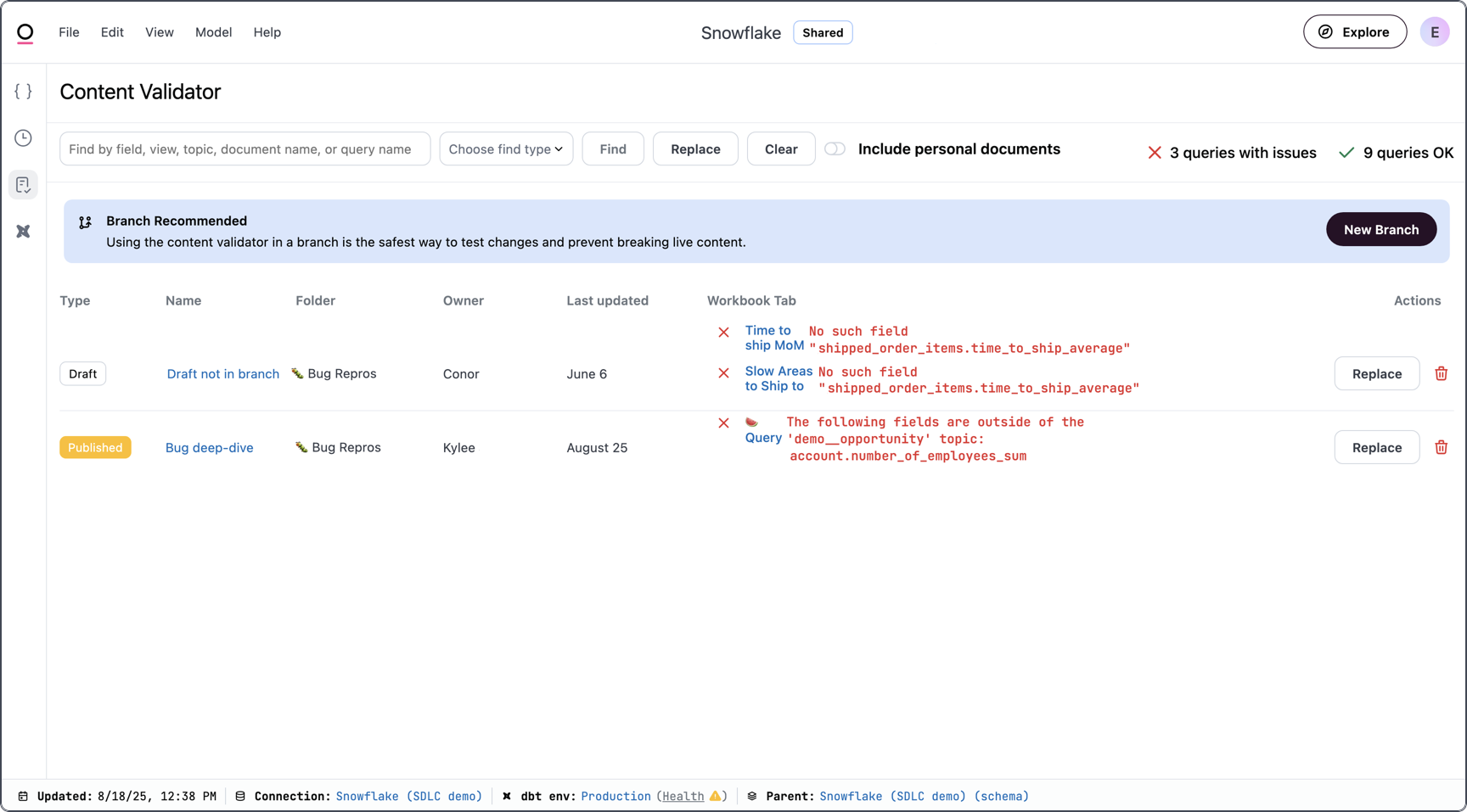
Shared extension models
Shared extension models let you create specialized versions of a parent model that inherit its core logic — joins, topics, metrics — while allowing their own customizations. Using shared extensions, you could create:- Multi-tenant environments - Dynamically route users to tenant-specific extensions based on user attribute mapping, giving each customer a tailored data experience from a single parent model.
- Departmental models - Use an extension as the static base model for a workbook, giving teams like Finance or Marketing their own curated view of shared data without affecting other groups.