

Requirements
To follow the steps in this guide, you’ll need:- An Omni connection with a configured dbt integration
- Connection Admin permissions for the connection in Omni
- Write access on the deploy key used to connect your dbt Git repository to Omni
Pushing exposures to dbt
- In Omni, click Develop.
- If your organization has more than one model, click the model you want to work with to open the model IDE. If you have only one model, Omni opens it automatically.
- Click Model > Push to dbt.
-
In the dialog, check the Sync exposures setting. Omni writes the exposure YAML files and commits them to a branch. Nothing changes in your dbt project until you merge the pull request in step 6.
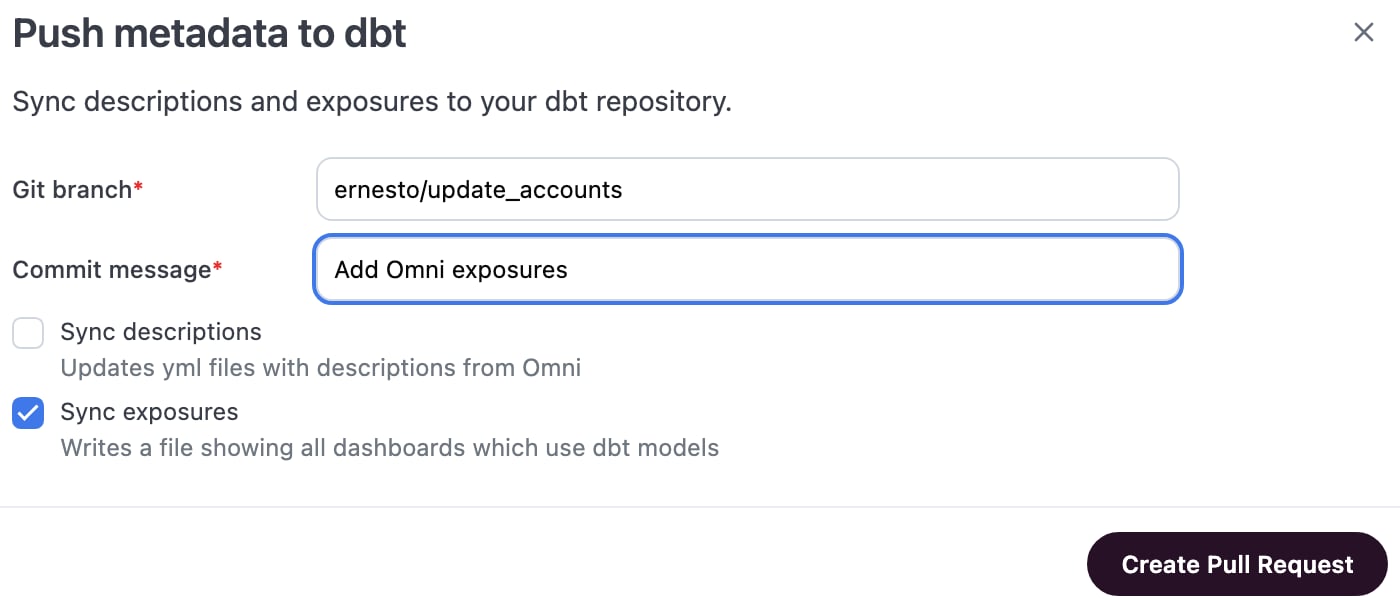
- Click Create pull request.
- Review and merge the pull request in your Git provider.
Troubleshooting
Models missing from exposure
Models missing from exposure
Exposures rely on explicit references to map dependencies. If Omni cannot determine the connection between a query and a dbt model, the exposure will not generate correctly.
- Use
${model_name}syntax. Your SQL must use Omni’s mustache-style references (e.g.,${fct_orders}) for Omni to detect the dependency. - Avoid direct table references. Referencing database tables directly (e.g.,
FROM production.orders) bypasses the mapping layer, and Omni cannot currently map these raw strings to dbt exposures. - Check the publication status of the dashboard or app. Omni expects dashboards and apps to be moved to the shared space to be captured in a generated exposure.
Common questions
What do exposures include?
What do exposures include?
When you push exposures from Omni, each published dashboard or app generates an exposure file containing:
- The dashboard or app name and URL
- The dbt models that the dashboard or app depends on
- Metadata about the exposure (owner, type)
Where are exposure files created?
Where are exposure files created?
Exposure files are created in the
models/omni_exposures/ directory of your dbt repository. This file path is not currently customizable.How are exposure names created?
How are exposure names created?
Omni generates exposure names from dashboard or app titles. If a title contains special characters or emoji, the resulting exposure name may trigger dbt deprecation warnings about invalid naming conventions.
Can Omni automatically sync exposures to dbt?
Can Omni automatically sync exposures to dbt?
While the Push to dbt action in the UI is a manual process, you can automate this using the dbt exposures API endpoint.The Get dbt exposures API provides direct access to exposure metadata without requiring file generation. You can set up a script — using GitHub Actions, a cron job, or orchestration tools like Dagster or Airflow — to fetch exposure data using the API and generate the dbt YAML on a regular cadence. This ensures your dbt lineage stays synchronized with the dashboards your team is building without requiring manual intervention.
Are private Omni dashboards, apps, or workbooks included in exposures?
Are private Omni dashboards, apps, or workbooks included in exposures?
Currently, exposure generation focuses on the final, governed dashboards and apps that serve as the primary consumption points for data.
- Published dashboards and apps: Only dashboards and apps in the shared space are included in exposure generation.
- Private content: Dashboards and apps in your personal space, and workbooks, are not supported.
Next steps
- Embed dbt data health tiles — Display the freshness and quality of the data behind a dashboard using the exposures you’ve pushed to dbt.
- Create and edit dbt models — Author new dbt models from Omni queries or edit existing models and push changes back to your dbt repository.
- Push descriptions to dbt — Sync descriptions written or edited in Omni back to your dbt project, from the same dialog.