

schema.yml files, so both layers stay in sync without maintaining descriptions twice.
Requirements
To follow the steps in this guide, you’ll need:- An Omni connection with a configured dbt integration
- The same permissions used to edit dbt models in Omni: Modeler or Connection Admin
- Write access on the deploy key used to connect your dbt Git repository to Omni
What gets pushed
Pushing descriptions to dbt
- In Omni, click Develop to open the list of models in your instance.
- Click the model you want to work with to open the model IDE.
- Click Model > Push to dbt.
-
In the dialog, check the Sync descriptions setting. Omni will update your dbt project’s
schema.ymlfiles with descriptions from Omni.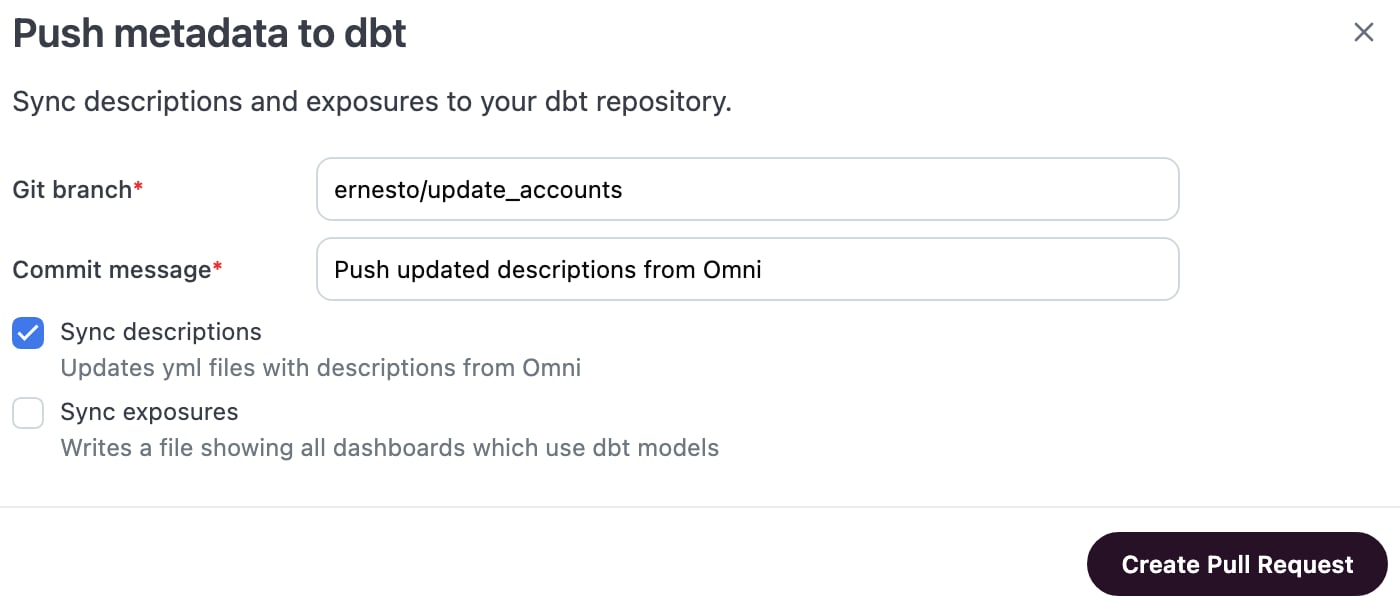
- Click Create pull request.
- Review and merge the pull request in your Git provider.
If a model doesn’t yet have a
schema.yml file, Omni creates one. The push only touches the description keys it manages; other properties you’ve defined in the file, like tests or meta, are left as they are.Troubleshooting
Create pull request fails
Create pull request fails
The deploy key connecting your dbt Git repository to Omni needs write access to create a branch and open a pull request. Check the key’s permissions in your Git provider if the push doesn’t produce a PR.
A description I edited isn't showing up in the pull request
A description I edited isn't showing up in the pull request
Check whether the field is Omni-only. Custom dimensions or measures built entirely in Omni don’t map to a column in your dbt project, so they have nowhere to go in
schema.yml. Use the diff viewer to confirm which fields are included before confirming the push.Common questions
Which description wins if dbt and Omni disagree?
Which description wins if dbt and Omni disagree?
It depends on the direction.When Omni syncs from dbt (a schema refresh), a description you’ve edited in Omni is prioritized over dbt’s version.Pushing descriptions to dbt, as covered on this page, works the other way: whatever the description reads in Omni at the time you push is written into
schema.yml.Can I reset a description in Omni back to what's in dbt?
Can I reset a description in Omni back to what's in dbt?
Yes. Clear the edited description in Omni, and the next schema refresh restores the dbt-sourced value.
Does pushing descriptions require dbt Cloud?
Does pushing descriptions require dbt Cloud?
No. Pushing descriptions works the same way for dbt Core and dbt Cloud connections. Omni pushes directly to your dbt Git repository either way.
Next steps
- Push exposures to dbt — Track which dashboards depend on your dbt models, from the same dialog.
- dbt metadata reference, the other direction of this same relationship — see everything a dbt sync reads into Omni.
- Trigger a schema refresh — Bring the updated
schema.ymlback into Omni after your pull request merges.