

Top N is a ranking mode of Omni’s Custom Groups feature. That page covers how the “remaining values” bucket works in more depth.
Creating a Top N field
Top N is available for text-type dimensions only. Numeric dimensions use Bin instead, and timestamp dimensions use Duration. In the field picker, find the text field you want to rank, select the three-dot menu, and choose Top N.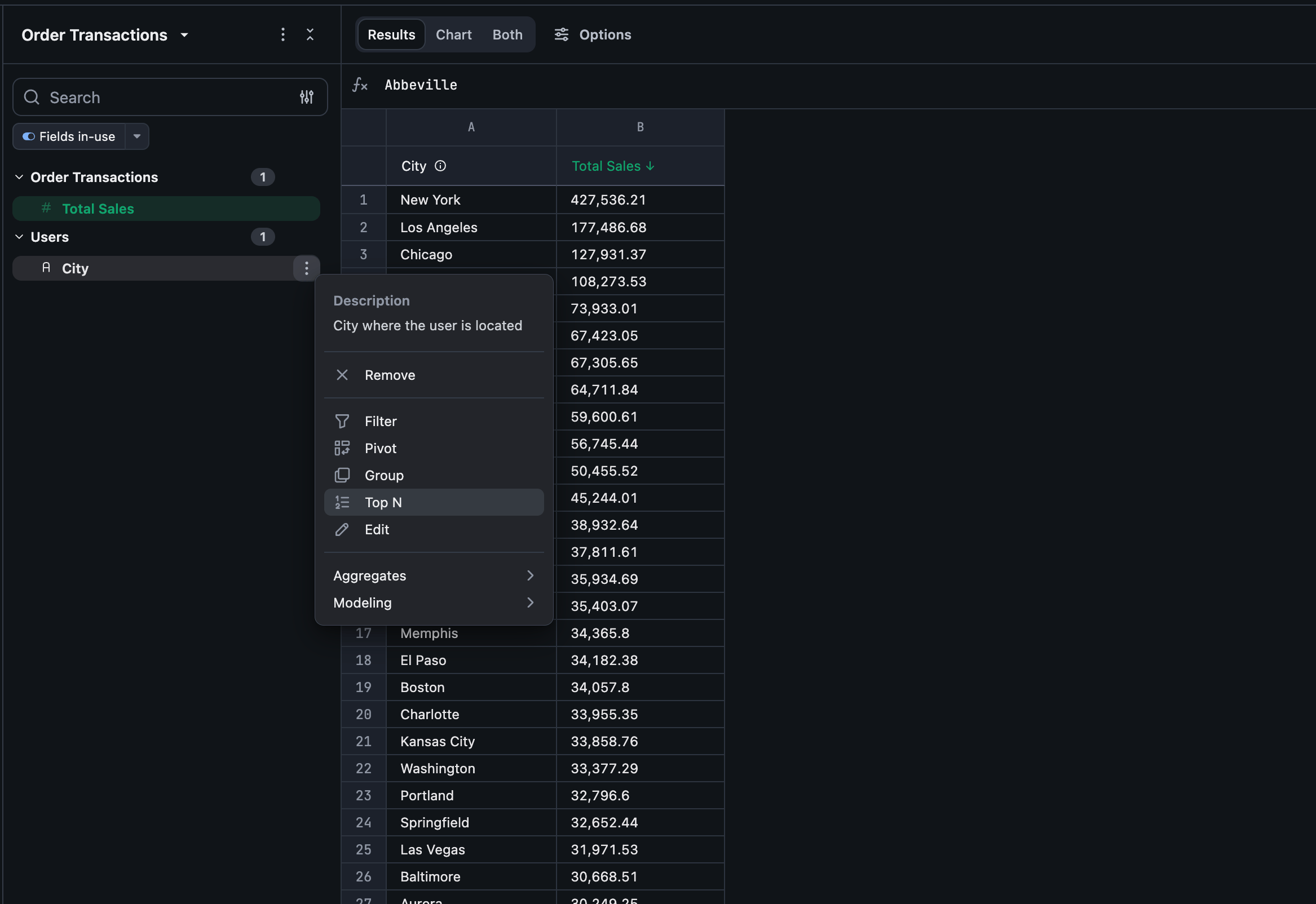
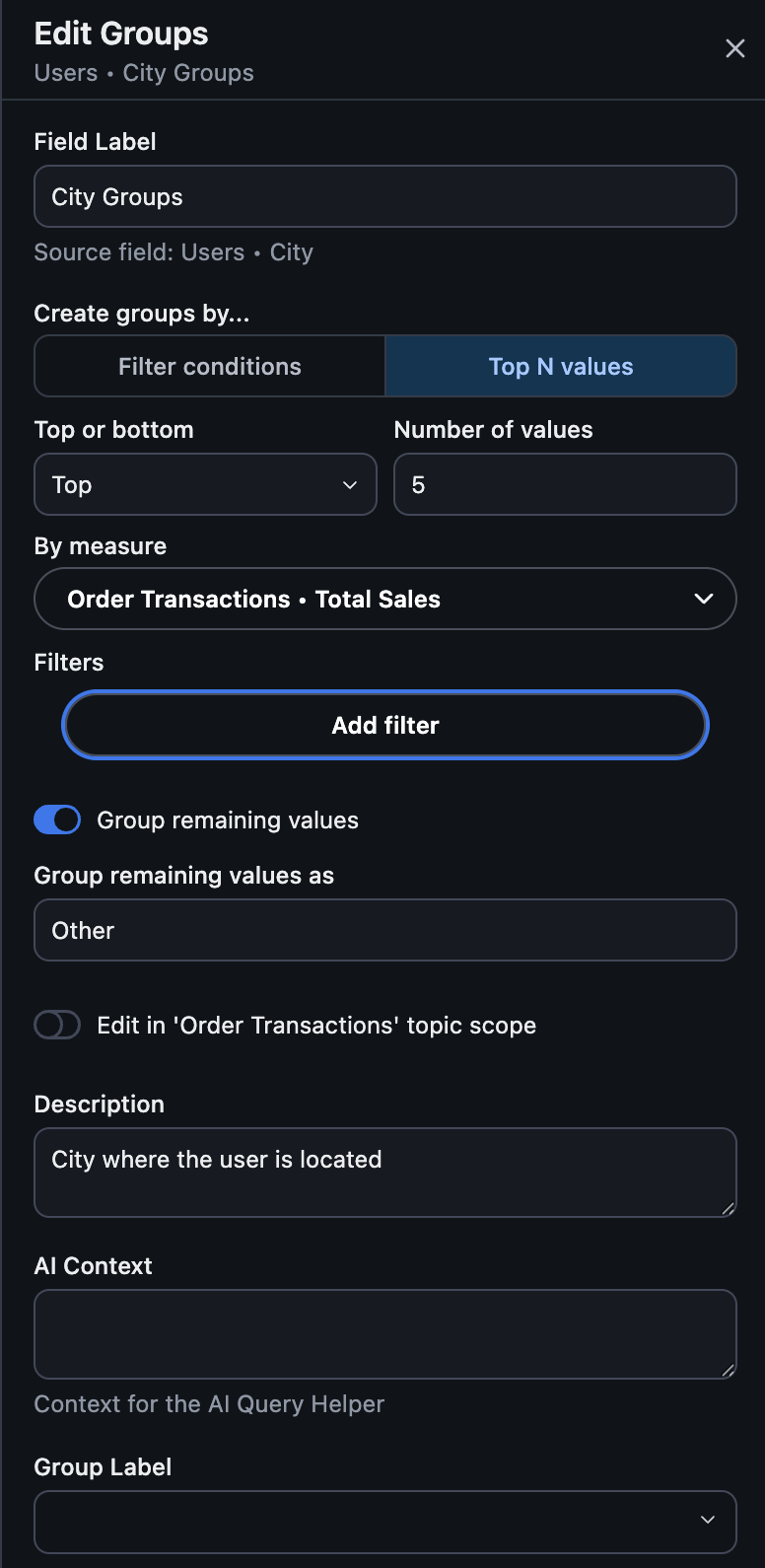
- Top or bottom: rank by the highest values (Top) or lowest values (Bottom).
- Number of values: how many values (N) to keep.
- By measure: the single measure to rank by. Top N ranks by exactly one measure at a time.
- Filters: optional field-level filters applied before ranking (e.g. only rank based on this year’s orders). Period-over-period and “filter by query” aren’t supported here.
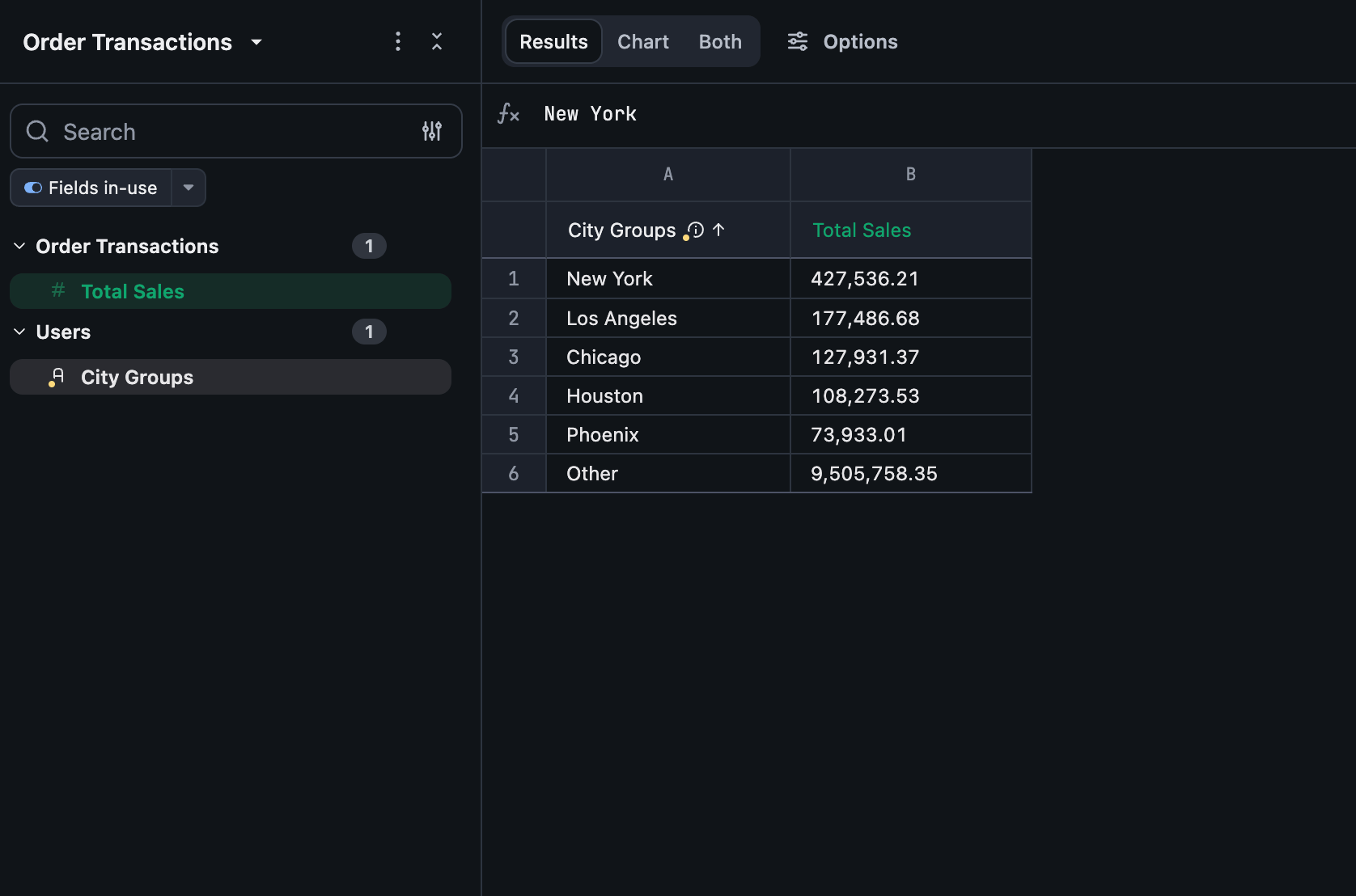
- Group remaining values: on by default — every value outside the top/bottom N is grouped into one row, labeled “Other” (rename it under Group remaining values as). Turn this off to exclude those values from the result entirely instead of grouping them.
Limitations
- Top N ranks by exactly one measure. To rank by a combination of measures, create a custom measure that combines them first, then rank by that.
- A Top N field can’t have its own custom sort order, since it’s already sorted by its ranking measure. Other fields can still sort by referencing a Top N field.
- Top N fields can’t be created from another Top N field.