

If there’s a troubleshooting question or scenario you want to see here, reach out to Omni support.
Can't display chart dashboard error
Can't display chart dashboard error
1
What it looks like
Restricted Queriers and Viewers see Can’t display chart errors when viewing a dashboard.
2
Why it happens
This is typically due to Omni enforcing connection roles when content in a dashboard is built outside of a topic.
3
How to fix it
In this video, we explain what’s happening and how to resolve it using Omni’s AccessBoost feature.
No option to view workbook
No option to view workbook
1
What it looks like
Viewers don’t have the option to view a workbook in a document.
2
Why it happens
By default, the workbooks are not accessible to Viewers. Omni does this because Viewers don’t have the ability to build in workbooks.
3
How to fix it
Enable document ability (organization-level)
Enable document ability (organization-level)
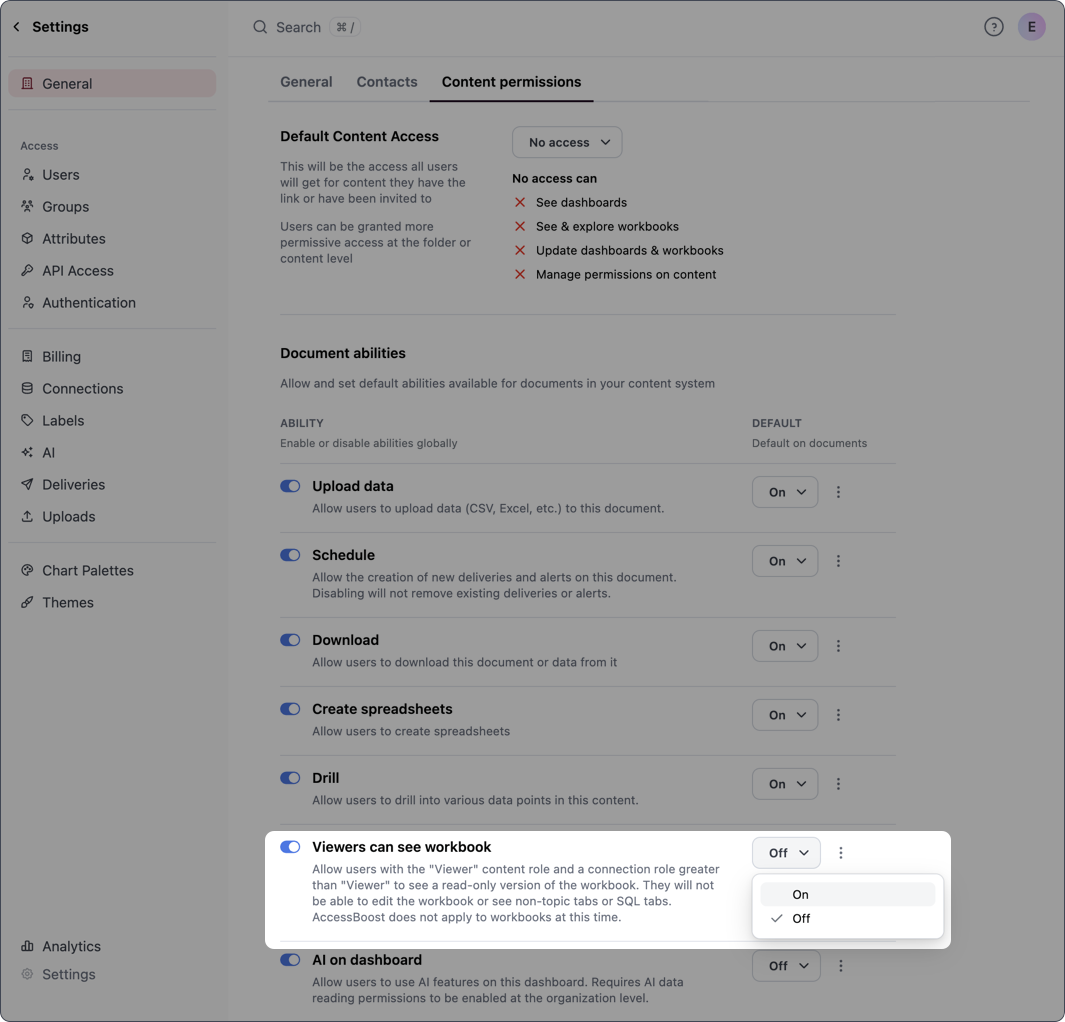
Organization Admins can change this default behavior in Settings > General > Content permissions with the Viewers can see workbook setting. Click the toggle in the Ability column:
- Enabling the Ability toggle allows the setting to be enabled or disabled on individual documents
-
Optional: Changing the Default option to On enables the setting by default on documents
Enable for individual documents
Enable for individual documents
Workbook access for Viewers can also be enabled on individual documents in Share > Settings and enabling Viewers can see workbook.Note: This requires the organization-level version of this setting to be enabled.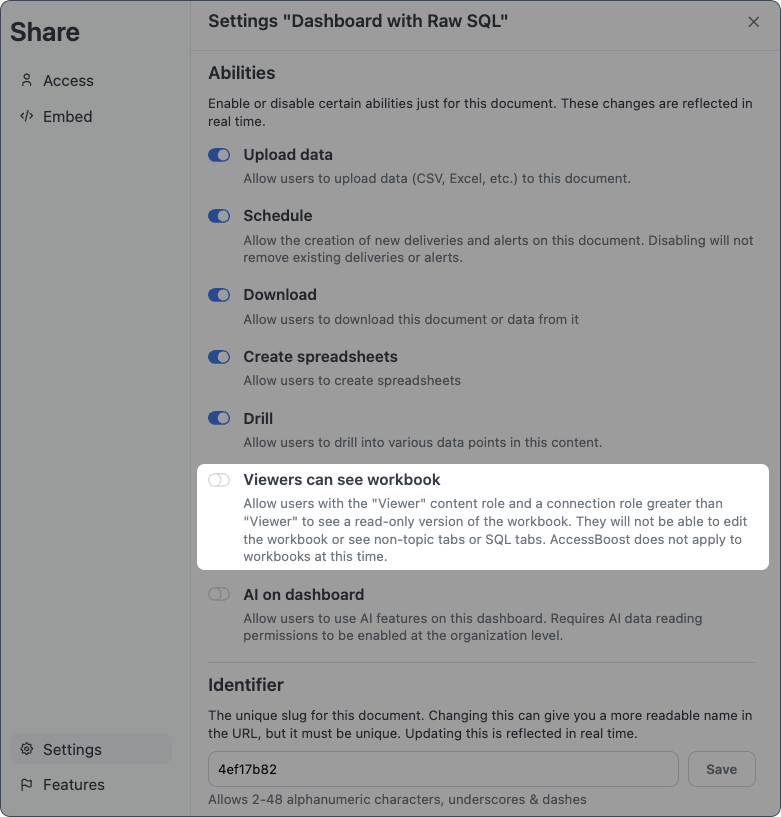
You don't have access to this tab workbook error
You don't have access to this tab workbook error
1
What it looks like
Users see You don’t have access to this tab messages when viewing a workbook tab: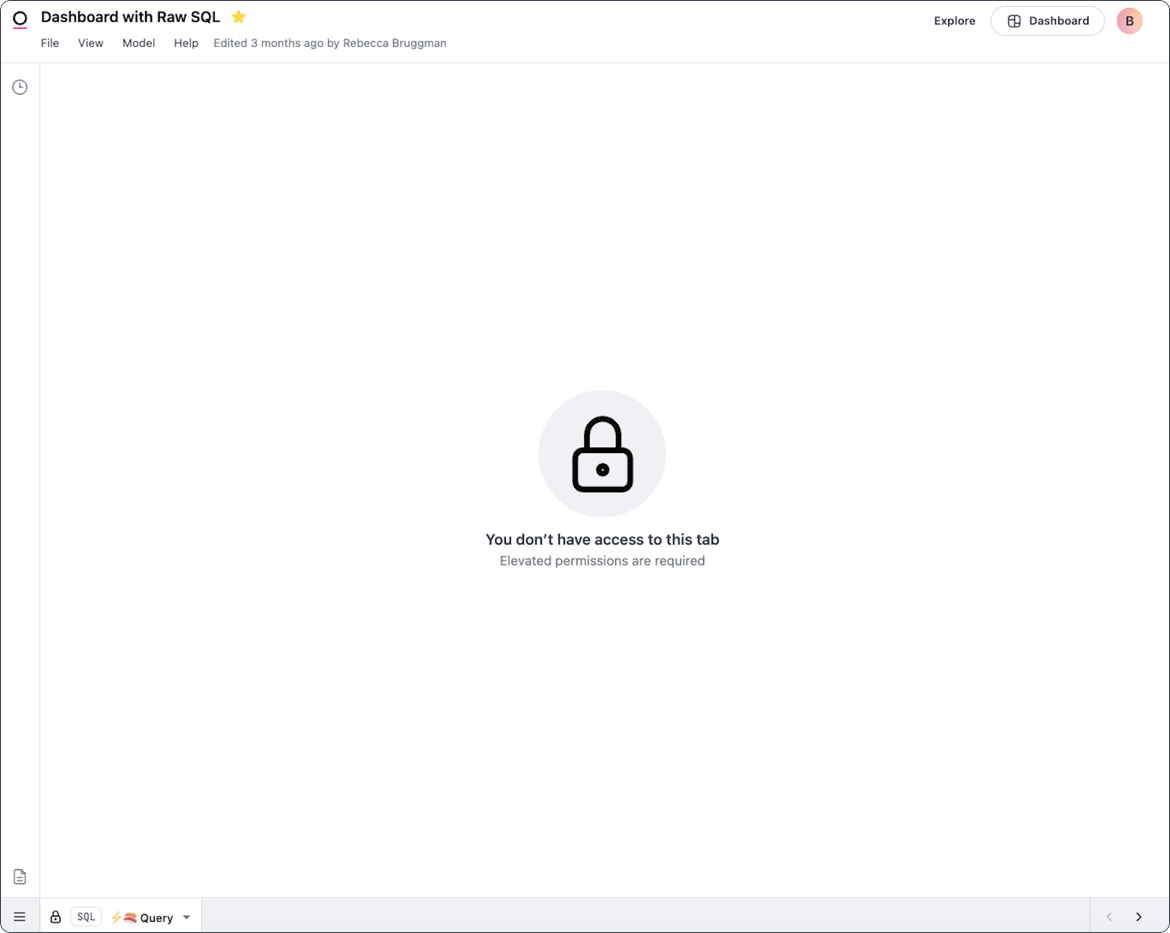
2
Why it happens
Similar to not being able to see data on a dashboard, this happens when one of the workbook tabs:
- Is built outside of a topic, and
- A user has permissions of Viewer or Restricted Querier, which are only allowed to see tabs in a workbook or tiles in a dashboard built with topics
3
How to fix it
To resolve the error, the query associated with the tab must be rebuilt using a topic.Omni’s AccessBoost feature can be enabled, which would ignore data permissions usually enforced by connection roles, but this would only show the data on the dashboard not the query in the workbook.
Unable to view specific topics
Unable to view specific topics
1
What it looks like
User is unable to view a specific topic.
2
Why it happens
Topic visibility is primarily controlled by access grants, which are a permissions systems configured in the model file and then called as a
required_access_grant within a topic to enforce which users are able to see a given topic.3
How to fix it
Access grants can be built to evaluate user attributes or user groups to determine which users will return a true value for the access grant.Access grants and user groups are defined within Omni Settings and often set for a given user as part of a login process in Omni.
Restricted Queriers are unable to add topic joins
Restricted Queriers are unable to add topic joins
1
What it looks like
While in a workbook, a Restricted Querier is denied access to adding joins to a topic.
2
Why it happens
Restricted Queriers are only able to build in a workbook using topics, which scopes their access to the data available in the database to the joins, filters and permissions configured in topics.Adding another table into a topic would effectively be bringing net new data into a topic, which is outside of the permissions scope for a Restricted Querier.
3
How to fix it
If you want a user to be able to add joins to a topic, elevate their permissions to Querier or higher.
Ownership changes after moving document
Ownership changes after moving document
1
What it looks like
A user is no longer the owner of a document after moving the document to a shared folder.
2
Why it happens
At a high level, the parent folder dictates the inherited permissions of the folders and dashboards contained in the parent folder. This means that each child folder or dashboard can have the same or higher permissions as the parent folder.Additionally, when documents are moved to a shared folder or subfolder, their ownership will change to the user who owns the folder.Refer to the Access inheritance guide for more information.
3
How to fix it
To retain ownership of a document, users should:
- Keep the document in their personal folders, or
- Move the document only to shared folders that they own
Locked filters for Viewers or Embed users
Locked filters for Viewers or Embed users
1
What it looks like
Viewers or Embed users are unable to change filters on a dashboard.
2
Why it happens
Often when a dashboard has a filter applied, a locked filter is the result of an access filters being enforced.Access filters are used to enforce row-level security - for example, in an embedded Omni instance that is built on a multi-tenant database.Access filters are created in a topic file by defining a field to be filtered and then reading the value of a specified user attribute. All values except the one specified in the access grant will be filtered out - think of this as a SQL
WHERE clause that can’t be removed.3
How to fix it
- Remove the access filter, or
- Add a
value_for_unfilteredparameter to the access filter. Users with the specified user attribute will not have the filter applied, allowing them to see all data for the field.