


Using topics in queries
Workbook queries can be used to create dashboard visualization tiles. If you intend to create and share a dashboard of your work with Restricted Queriers and Viewers, keep in mind that these users can only see dashboard tiles built on topics unless AccessBoost is enabled. Refer to the AccessBoost guide for more information.
Switching topics
To change topics in a query tab, use the topic switcher in the top left corner of the field browser: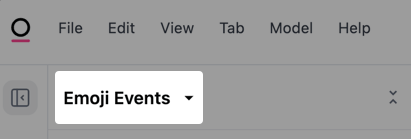
Highlighted topic switcher in an Omni workbook
Using multiple topics
A query can only use a single topic at a time. However, depending on your needs, there are a few workarounds that may be useful. Start your analysis in the topic that best matches your use case. Then:- Consider adding a new join path to data that isn’t included in the topic yet, or
- If there isn’t a clear relationship, consider using
XLOOKUPsor a spreadsheet tab to combine multiple queries into a final output
Querying with AI
If the Workbook Agent is enabled in your Omni instance, you can use the agent to query topics using natural language. How you access the agent differs depending on whether you’re using an embedded Omni instance or not:- Embedded - Click the icon in the workbook’s sidebar
- Non-embedded Omni - Click the floating avatar to open the chat panel
Editing topics in the workbook
To make changes to a query’s current topic, you can do either of the following:- Click Model > Edit topic
- Click the icon and then select Edit topic from the context menu