Apps are currently in beta.
The app inspector allows you to select elements in a draft app and send them as annotated images to the Omni Agent as context. This can be useful for focusing the agent on specific elements and resolving issues.

Requirements

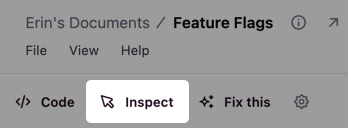
To use the inspector, you’ll need: When all of these conditions are met, an Inspect option will display in the app toolbar:

Inspect option in the app toolbar

Inspecting app elements

To inspect an element:
  1. Click the Inspect button in the toolbar to enter select mode
  2. Click an element in the app to select
  3. Enter a note about what you want the Agent to do
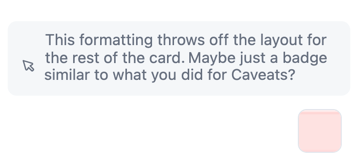
The annotated element is sent as an image to the Omni Agent, where you can ask questions or request changes:

Annotated element in chat

Closing the inspector

Click the Inspect button again to leave select mode or to close an open annotation.