

Reach out to Omni support to have this feature enabled.
Requirements
Organization Admin permissions are required to configure email whitelabeling.Enabling email whitelabeling
To enable email whitelabeling:- Click Settings > Deliveries > Configuration.
- Toggle Custom email sender to On.
- Fill in the Sender Name and Sender Email fields.
Overriding the sender for individual users
Once email whitelabeling is enabled, you’ll have the option to specify a custom sender name and email for the deliveries and alerts that individual users receive. Click Manage users to open the Settings > Users page, where you can override the organization’s default settings on a per user basis.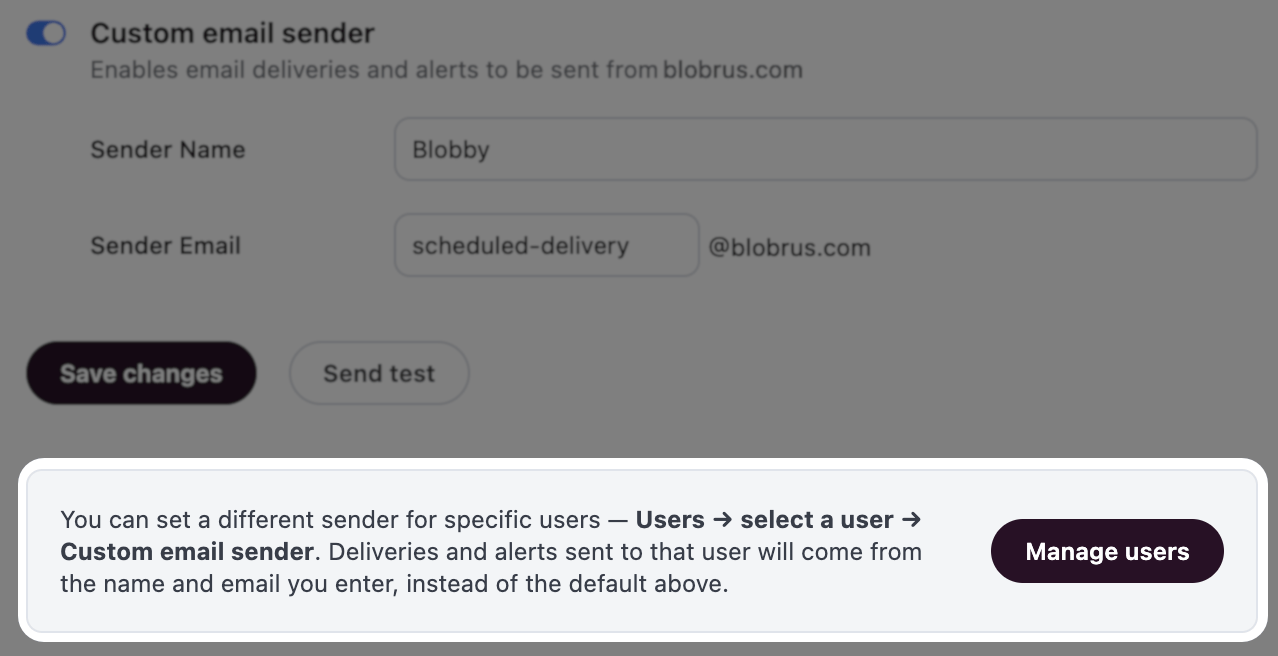
You can also specify a custom sender for individual users
Disabling email whitelabeling
Disabling email whitelabeling reverts emails back to the default Omni domain, which may be visible to end users in embedded contexts.- Click Settings > Deliveries > Configuration.
- Toggle Custom email sender to Off.
- When prompted, confirm the change.