

Omni’s Markdown and table visualizations can be configured to emit events. These events can be observed by listeners in the parent frame to trigger certain actions, such as popping open custom drill modals or passing through certain data from Omni to the parent frame.

Table visualizations

Events can be triggered on click in table visualizations.
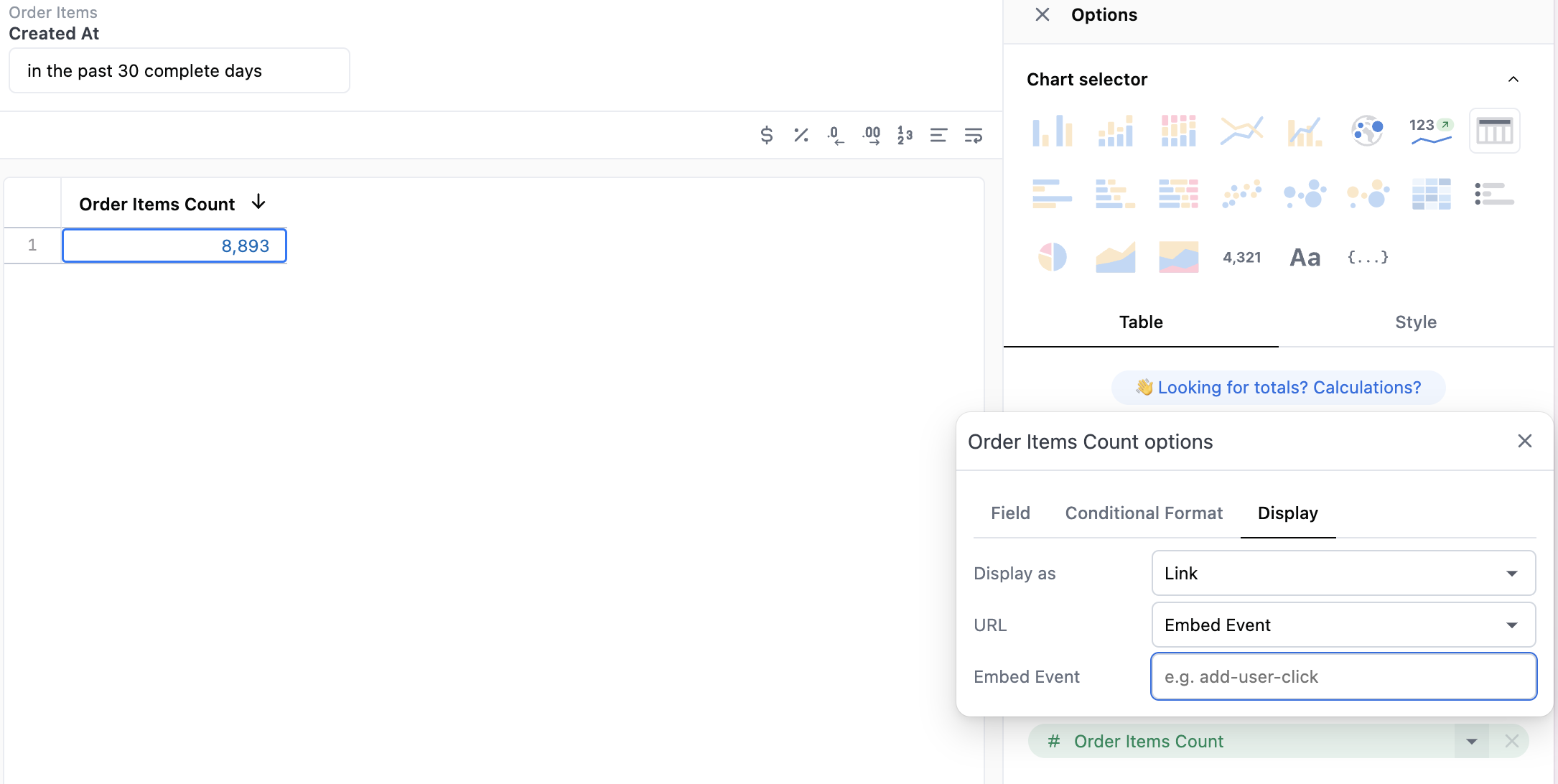
  1. Open the configuration options for a table visualization.
  2. Next to a field, click the to open its configuration options.
  3. Click the Display tab.
  4. Set Display as to Link.
  5. Set URL to Embed event.
  6. Enter a name for the event.

Markdown visualizations

You can also send events from Markdown visualizations. When clicked, a post message is sent from the iframe to the parent iframe. Use a tag like the following, setting the event name and data, to accomplish this:
<omni-message event-name="product-image-click" event-data="{{products.name.raw}},{{products.retail_price.raw}},{{products.sku.raw}}">