> ## Documentation Index
> Fetch the complete documentation index at: https://docs.omni.co/llms.txt
> Use this file to discover all available pages before exploring further.
# AI summary visualization
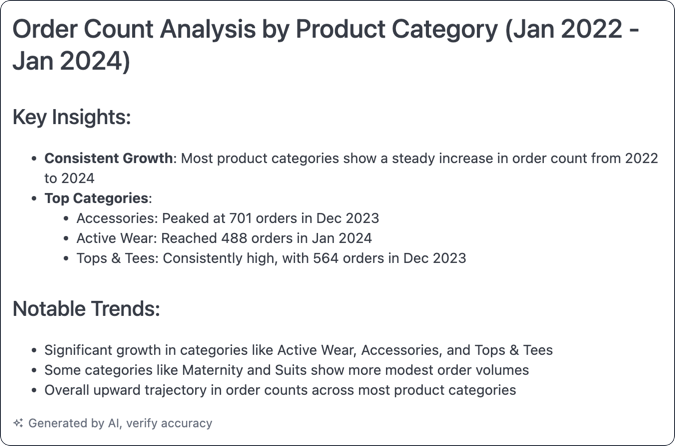
> Generate a summary of the current query's results with the AI summary visualization type.
 ## Requirements
To use this visualization type, you'll need:
* A query built on [topic data](/modeling/topics)
* To have the **AI Visualization Summary** setting enabled in [**AI Hub > Setup**](/ai/settings/features#ai-visualization-summary). This is enabled by default.
## Building the query
To get the best results in the summary, keep the following in mind when building the underlying query:
* **Avoid pivoting or swapping rows/columns in the query**. This significantly reduces the context window, leaving little available for the actual data.
* **Include calculations and totals in the query if you want the summary to reference them.** This approach will provide better results over relying on the AI for calculations in the summary itself.
## Adding context
You can provide additional context in the chart's **Options** to guide the AI in generating the summary.
### Example: Specific audience and content
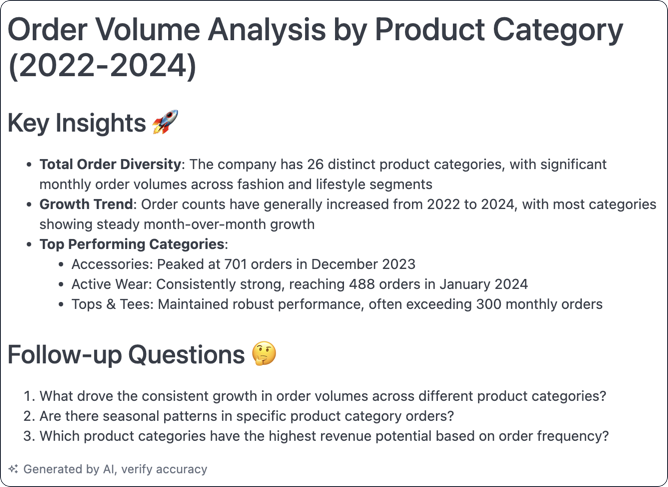
This example was given this context: `Explain it to me like I am a ceo and give me 3 followup questions`
## Requirements
To use this visualization type, you'll need:
* A query built on [topic data](/modeling/topics)
* To have the **AI Visualization Summary** setting enabled in [**AI Hub > Setup**](/ai/settings/features#ai-visualization-summary). This is enabled by default.
## Building the query
To get the best results in the summary, keep the following in mind when building the underlying query:
* **Avoid pivoting or swapping rows/columns in the query**. This significantly reduces the context window, leaving little available for the actual data.
* **Include calculations and totals in the query if you want the summary to reference them.** This approach will provide better results over relying on the AI for calculations in the summary itself.
## Adding context
You can provide additional context in the chart's **Options** to guide the AI in generating the summary.
### Example: Specific audience and content
This example was given this context: `Explain it to me like I am a ceo and give me 3 followup questions`
 ### Example: Specific tone
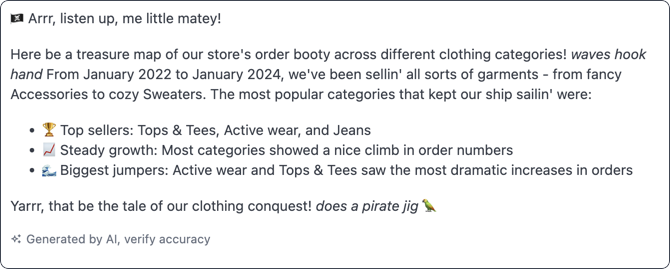
You can provide context to the AI that specifies the tone of the summary. For example, `Explain it to me like I am 5 in a pirate voice`
### Example: Specific tone
You can provide context to the AI that specifies the tone of the summary. For example, `Explain it to me like I am 5 in a pirate voice`