> ## Documentation Index
> Fetch the complete documentation index at: https://docs.omni.co/llms.txt
> Use this file to discover all available pages before exploring further.

# Dashboard tabs

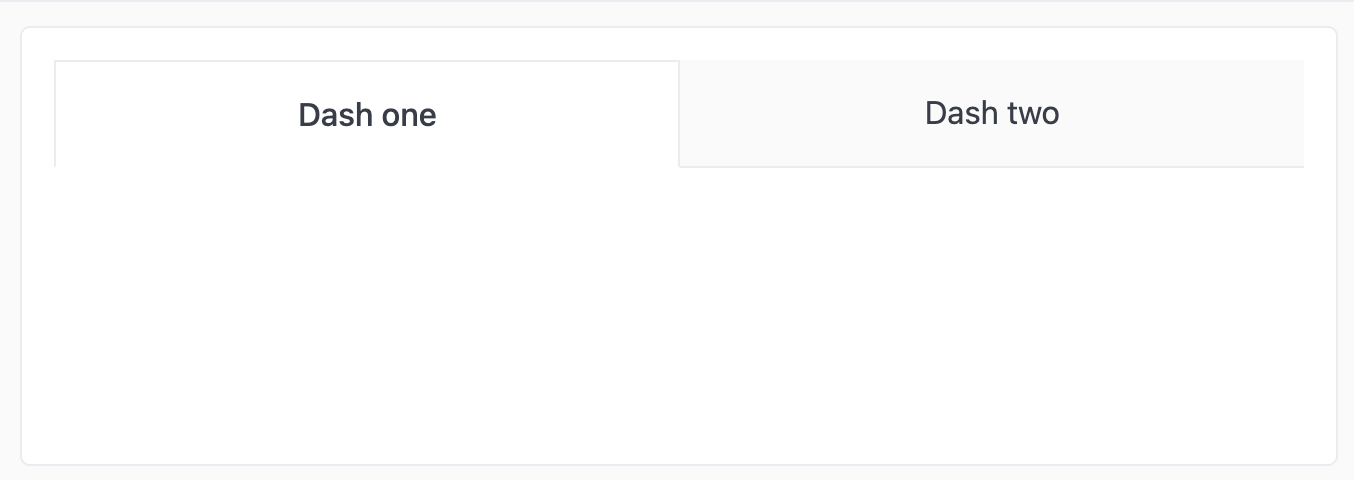
> Markdown tiles can be used to create tabs in dashboards, allowing users to jump from one dashboard to another in internal or embedded scenarios.

<Note>
  **Looking for tabbed dashboard navigation?** The recommended approach is [Advanced Layout > Pages](/visualize-present/dashboards/pages), which provides built-in page tabs without custom HTML. The markdown-based pattern below is still valid for scenarios where you need custom styling or are working in an embedded context.
</Note>

The links can be exact, or relative references (e.g. `/dashboards/<dashboard-id>`) and are contained in the `href` field of an `<a>` tag as seen below. This example has basic styling and only two tabs. Expand on it and add your own styles.
<img src="https://mintcdn.com/omni-e7402367/aZ84MHc8H0bDix_i/images/docs/visualization-and-dashboards/visualization-types/markdown/examples/assets/images/dashboard-tabs-afbd83b9cedae8e5793ee0b4029fa89f.png?fit=max&auto=format&n=aZ84MHc8H0bDix_i&q=85&s=c56c332ce56a8102b1a05958b3812fa7" alt="Dashboard with two styled tab links for navigating between dashboards" width="1354" height="480" data-path="images/docs/visualization-and-dashboards/visualization-types/markdown/examples/assets/images/dashboard-tabs-afbd83b9cedae8e5793ee0b4029fa89f.png" />

## Example code

```html expandable theme={null}
<style>
.dash-tabs {
  display: flex;
  flex-direction: row;
  justify-content: center;
  width: 100%;
}

.dash-tabs a.tab {
  display: block;
  width: 100%;
  text-align: center;
  text-decoration: none;
  padding: 16px 32px;
  border-bottom: 1px solid var(--color-border1);
  background: var(--color-background-alt);
  color: var(--color-text3);
  font-size: var(--font-md);
}

.dash-tabs a.tab.active {
  background: var(--color-background);
  border: 1px solid var(--color-border1);
  border-bottom-color: var(--color-background);
  font-weight: 500;
  color: var(--text4)
}
</style>

<div class="dash-tabs">
  <a href="/dashboards/<dashboard-one-id>" class="tab active">
    Dash one
  </a>
  <a href="/dashboards/<dashboard-two-id>" class="tab">
    Dash two
  </a>
</div>
```
