> ## Documentation Index
> Fetch the complete documentation index at: https://docs.omni.co/llms.txt
> Use this file to discover all available pages before exploring further.
# Viewing and restoring model versions in the model IDE
> Model history in the developer IDE allows users to see the changes made to the model and restore to an older version.
To access a model's history, click the icon in the left navigation.
 ## Exploring and comparing older versions
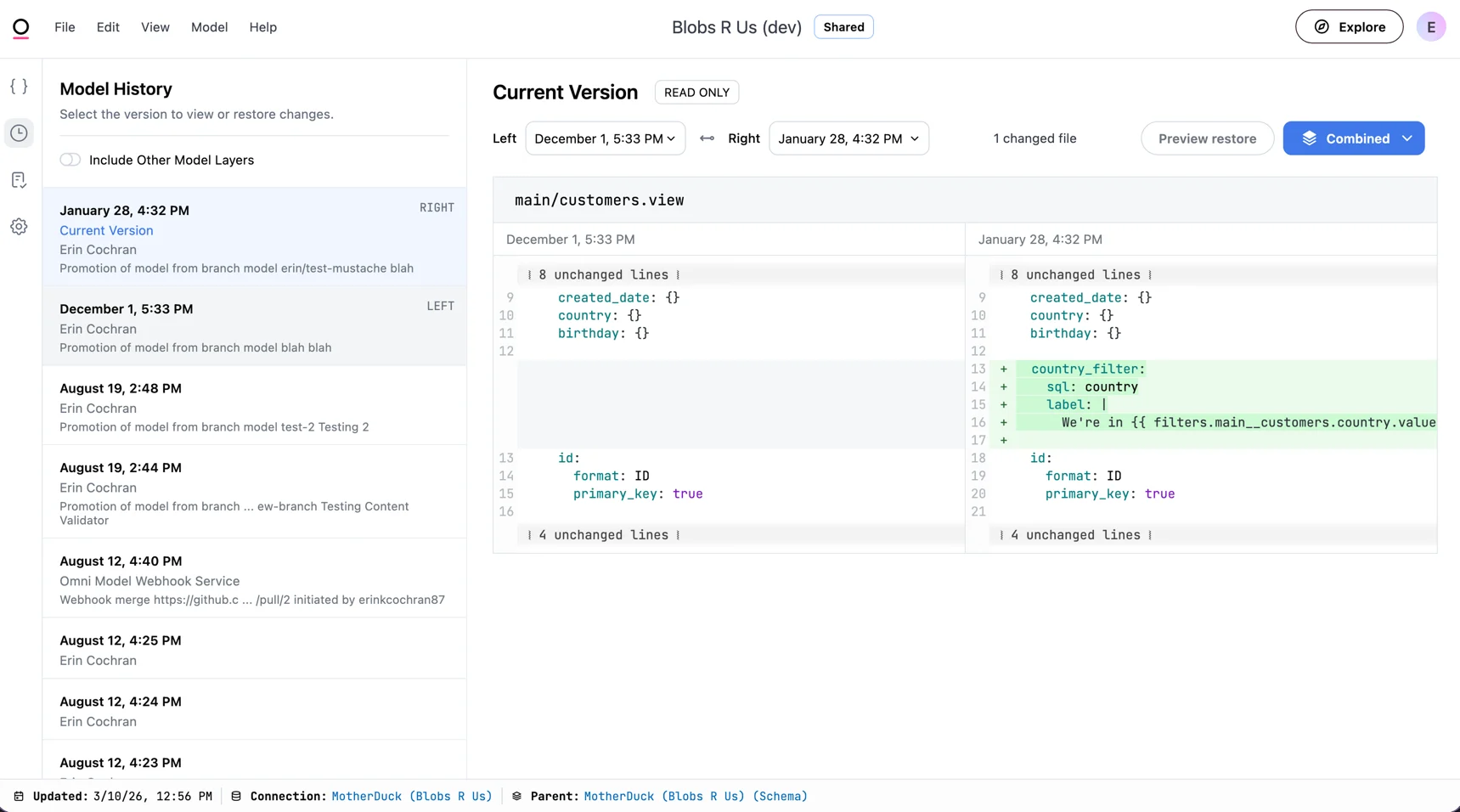
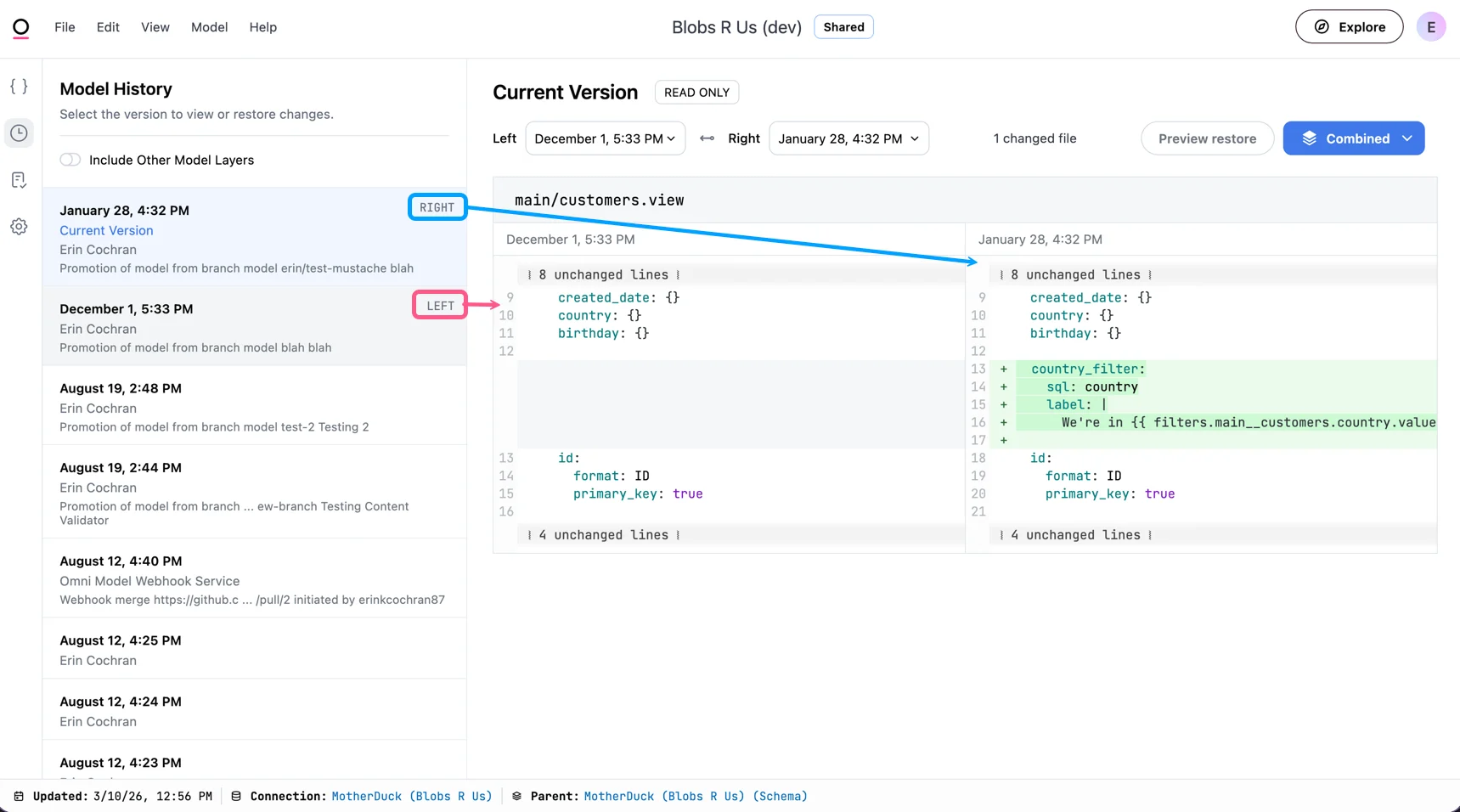
The left-hand menu includes a chronological list of time-stamped changes. The detailed view to the right of the list of changes, compares the previous change to the currently selected version.
## Exploring and comparing older versions
The left-hand menu includes a chronological list of time-stamped changes. The detailed view to the right of the list of changes, compares the previous change to the currently selected version.
 ## Restoring an older model version
Restore a previously saved version of your model files by navigating to the change you want to restore to.
1. In the list of model changes, select the one you want to restore.
2. Click **Preview restore**.
3. Compare the changes in all affected files.
4. Click **Restore this version**.
## Viewing file history
File history provides a detailed view of all changes made to individual model files, including who made each change and when. This is distinct from the model version history, which shows changes across all files in your model.
To view the history for a model file, open the file in the IDE and click the icon near the top right corner of the page.
## Restoring an older model version
Restore a previously saved version of your model files by navigating to the change you want to restore to.
1. In the list of model changes, select the one you want to restore.
2. Click **Preview restore**.
3. Compare the changes in all affected files.
4. Click **Restore this version**.
## Viewing file history
File history provides a detailed view of all changes made to individual model files, including who made each change and when. This is distinct from the model version history, which shows changes across all files in your model.
To view the history for a model file, open the file in the IDE and click the icon near the top right corner of the page.
 Once opened, the file history view displays a chronological list of changes specific to that file.
History entries older than 6 months are included in the list of changes, but viewing the specifics of the change is not currently supported.
Once opened, the file history view displays a chronological list of changes specific to that file.
History entries older than 6 months are included in the list of changes, but viewing the specifics of the change is not currently supported.